iPhone · iPad · Mac · Android · Web
Inventory that
keeps up with
your shop.
Scan it in, sell it, count the shelves and know what to reorder. Every item from bought to delivered, true profit after expenses, and two-way sync with Shopify, eBay and QuickBooks.


What it does
The four things a shop does all day.
Inventory Now follows every item from the day you buy it to the day it ships, and tells you what you made along the way.
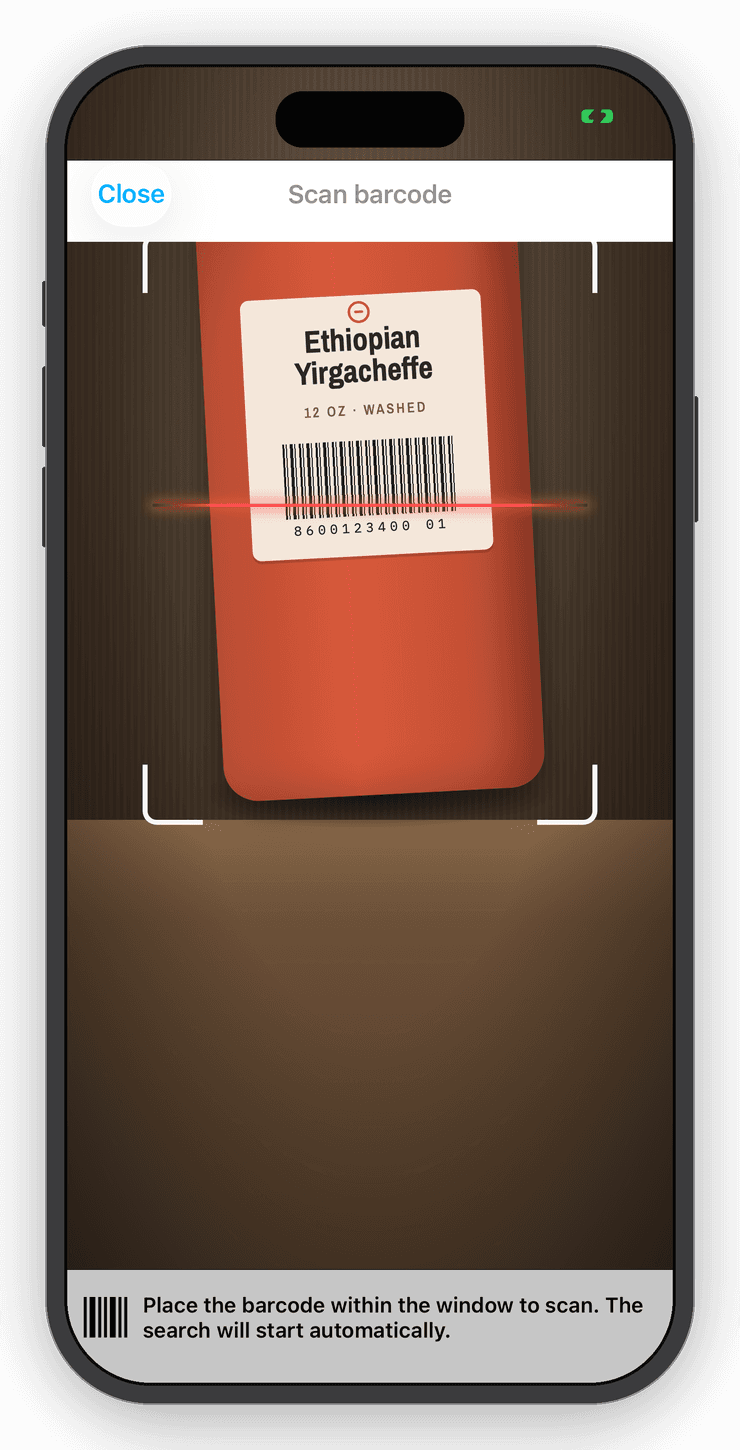
Scan
Camera or hardware scanner. Unknown barcodes fill themselves in from a shared catalog, with an AI fallback and Smart Scan from a photo.

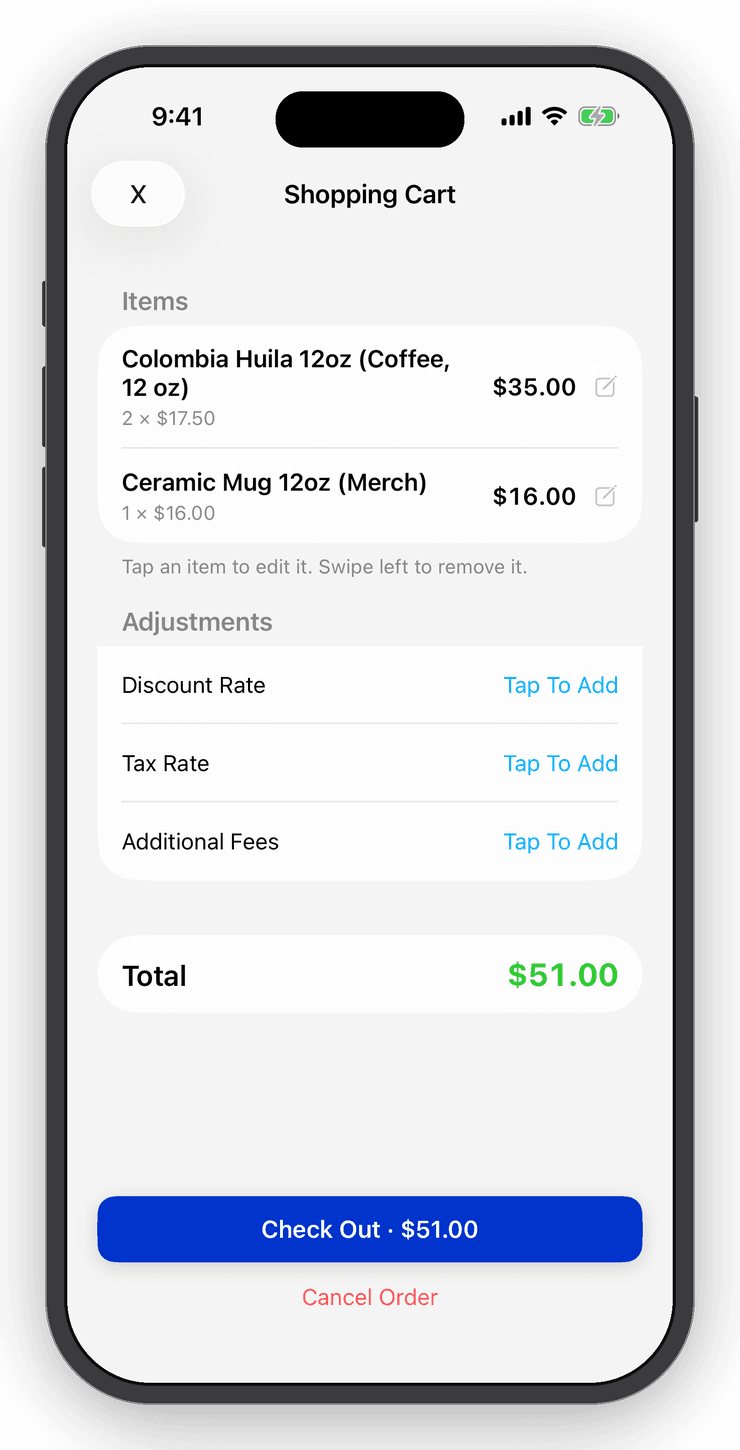
Sell
Cart, tax and discounts, then Square, Tap to Pay or cash. Every checkout is an order with a receipt and Register Mode keeps costs hidden from staff.

Count
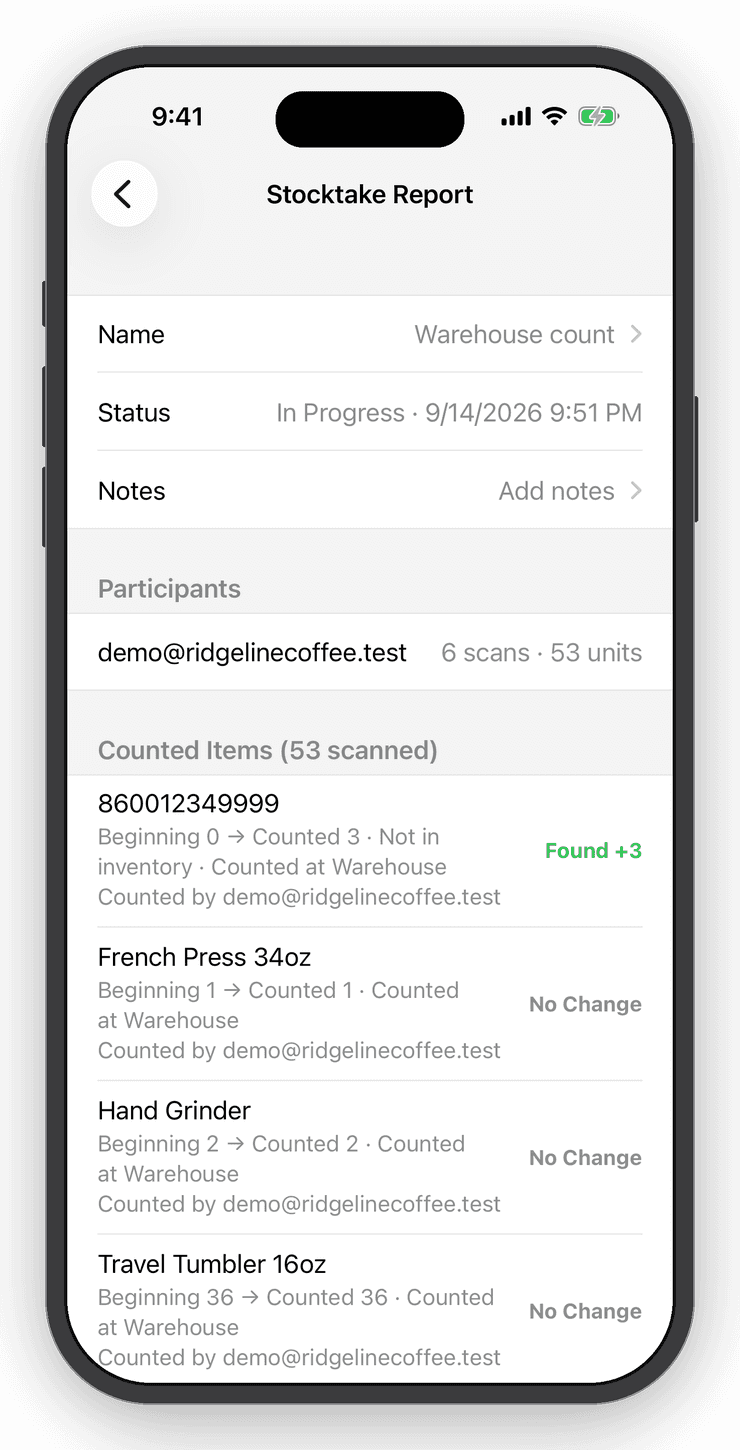
Stocktake by scanning a shelf at a time. Preview discrepancies, commit, keep the report. Undo if you must.

Know
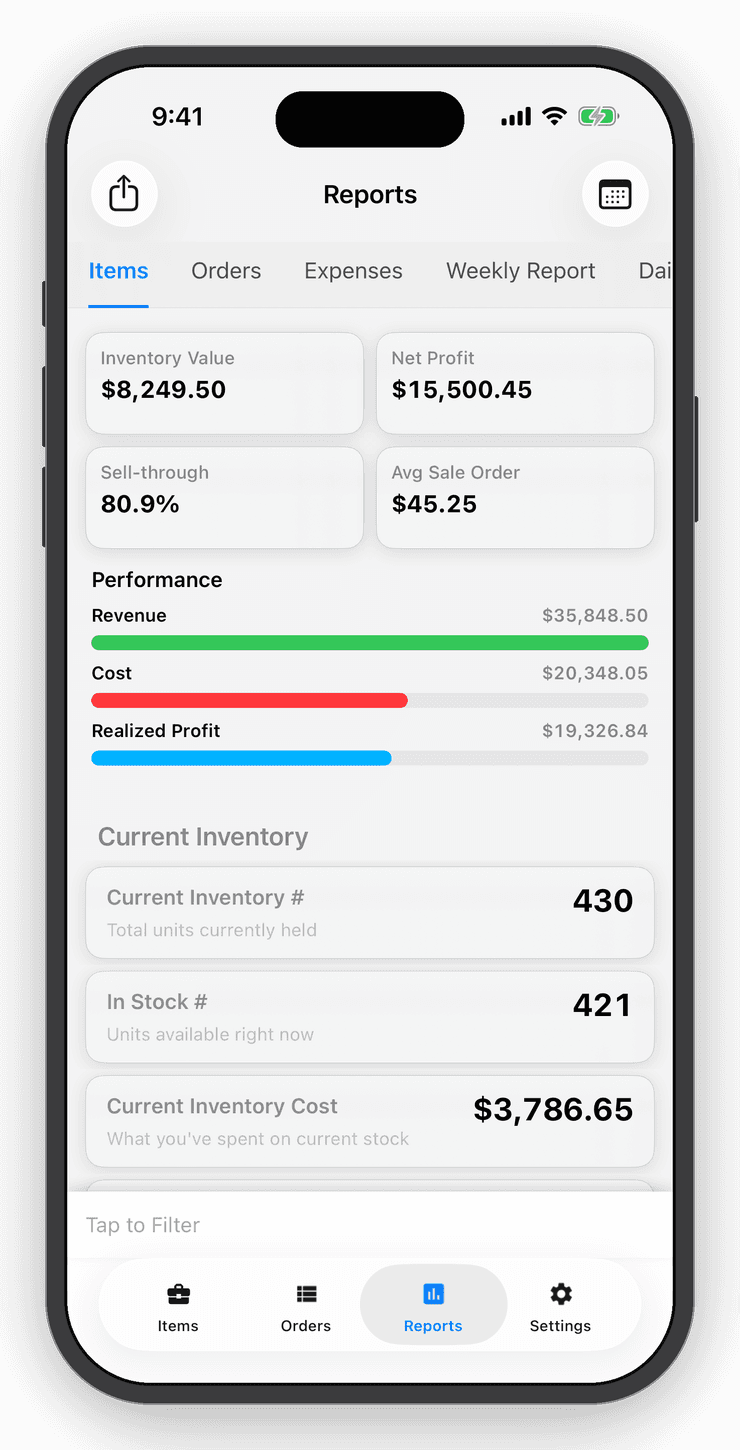
Inventory value, sales, True Profit after expenses, and days of stock left on every item, with a push before you run out.

A day in the shop
From the loading dock to the ledger.


Step 1 of 6
Scan it in
Point the camera at a barcode. Known items open; new ones are created with a name, photo and price from the shared catalog or Smart Scan.

Step 2 of 6
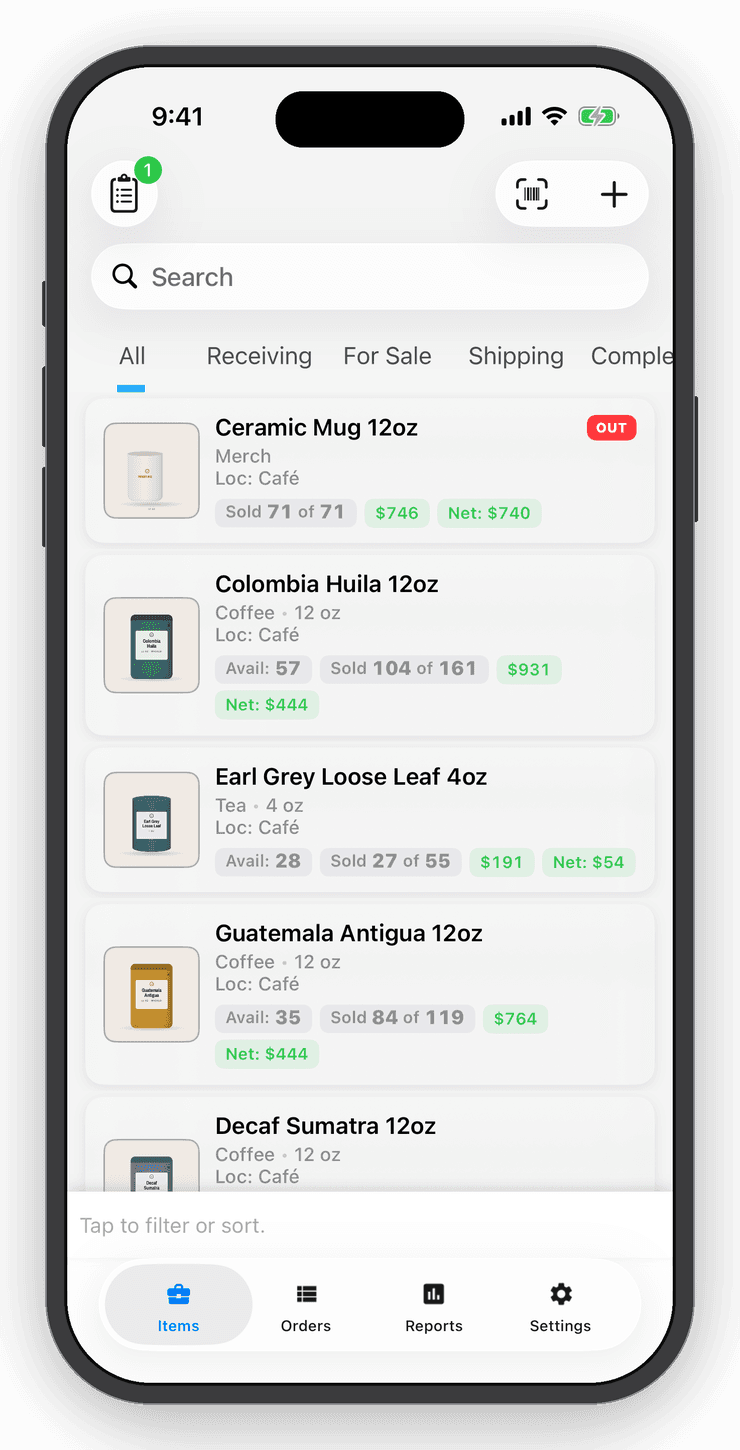
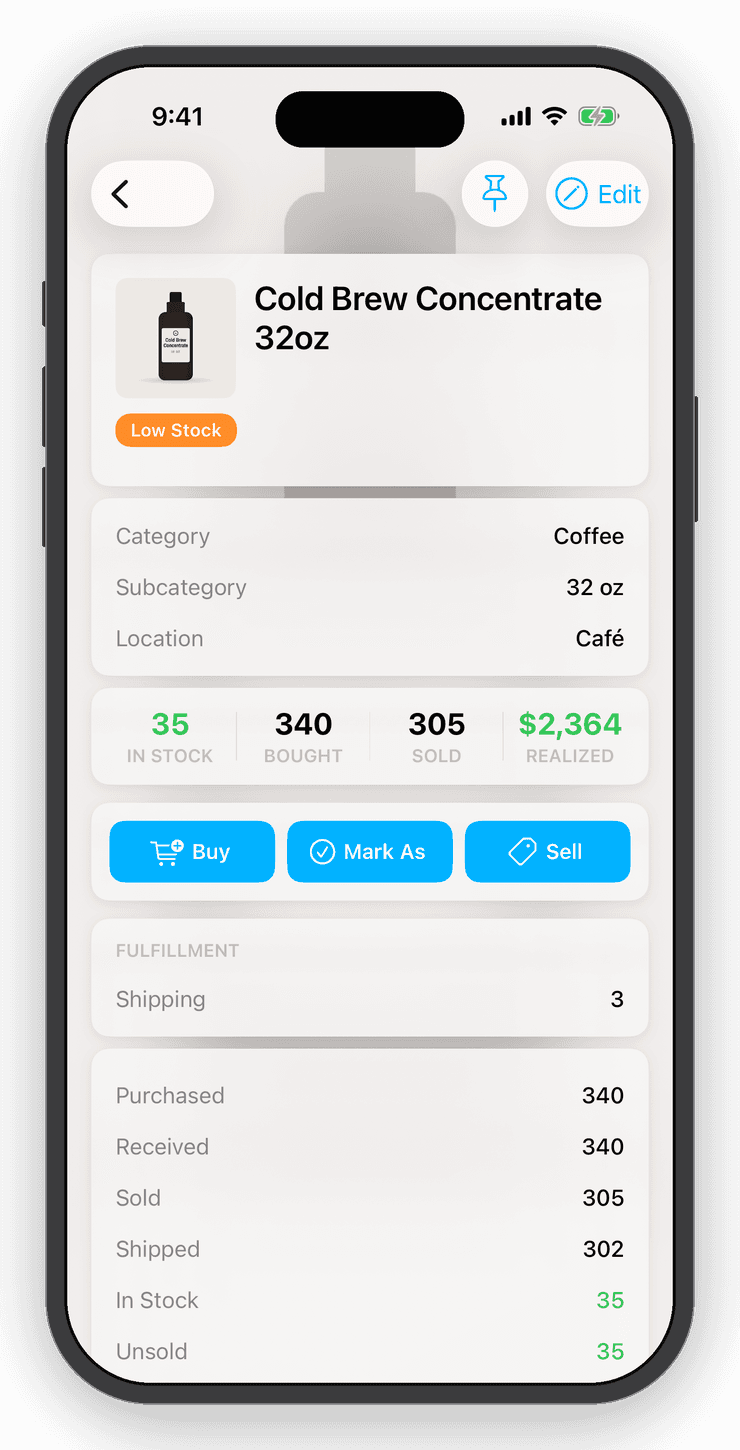
Know what you have
Every item shows cost, price, stock by location and the whole bought → sold → shipped lifecycle.

Step 3 of 6
Sell it
Build a cart, add tax and discounts, then take payment with Square, Tap to Pay or by hand. Each checkout becomes an order with a receipt.

Step 4 of 6
Count the shelf
Run a stocktake by scanning. Preview every discrepancy, commit, and keep a report of what changed.

Step 5 of 6
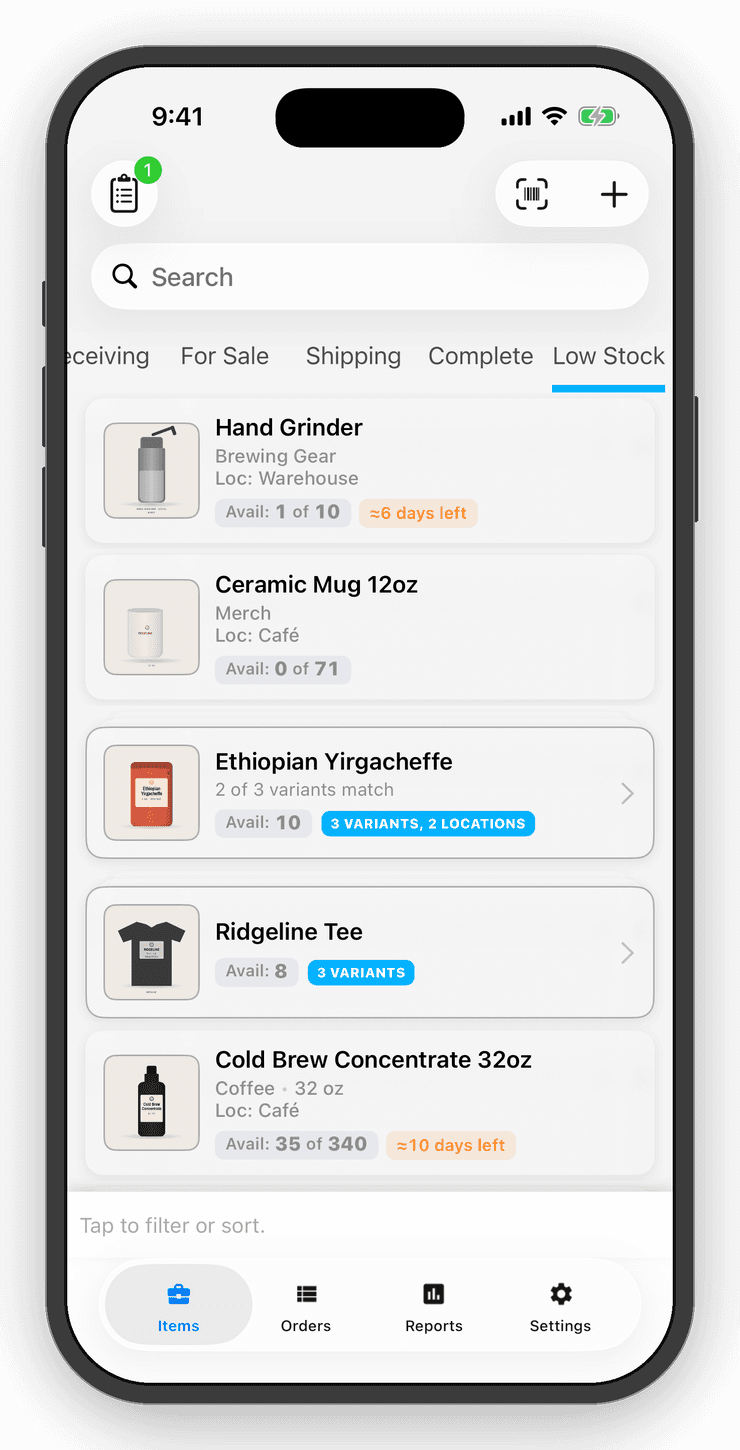
Reorder before you run out
Stock velocity turns units into days of cover and pushes a notification when an item dips below your threshold.

Step 6 of 6
See the real profit
Sales, expenses and refunds roll into True Profit, by item, category, location, user or date.
By the numbers
Seventeen years of counting other people's stock.
Inventory Now started in 2009 as a tool for ticket brokers and has been rewritten, rated and argued over by real shop owners ever since. The developer still answers the reviews.
INVENTORY NOW
Charleston, SC · est. 2009
- App Store rating
- 0.0 / 5
- Ratings
- 0
- Tracking stock since
- 2009
- Platforms, one account
- 0
- Items on the free plan
- 0
Thank you for counting with us
Who uses it
Resellers, market stalls, farms, tool cages.
Every one of them counts differently. The lifecycle, the fields and the reports bend to fit instead of the other way round.
- ResellersKnow what every flip actually made.Cost is on the item from the day you bought it. Sell it anywhere and the margin is calculated for you.Read more →
- Small retail shopsA lightweight POS that also counts the shelves.Two-way Shopify sync keeps in-store and online quantities the same.Read more →
- Craft fairs & marketsPack the van. The stock list is on your phone.Scan or tap to add to the cart, apply tax, take payment with Square or record cash.Read more →
- Farms & food producersFrom the field to the stand, counted.Buy or receive stock each week and the running count, cost and value update with it.Read more →
- Equipment check-outWho has the drill?Scan it out to a person, scan it back in. The item shows its current holder and history.Read more →
- Warehouse & multi-locationOne product. Three shelves. One number.Drag a quantity from one location to another and both counts, and the cost that moves with them, update.Read more →
Reviews
In their words.
4.7 stars from 687 App Store ratings. These are some of them, unedited except for length.
The best inventory management you will find
“This is without any doubt the best inventory management app you can ever find in the App Store. It helped organizing the work flow of my small business and enhance the efficiency.”
Great app / great support
“I've been using this app for a couple years now for a small business, it's fantastic, 10 fold better than any other app I've tried and the customer service is hands down the best I've encountered.”
Great app and customer service
“We have been using this app to track the weekly harvest from our family-owned farm. Logan has been very helpful tweaking the app so we can set the items not sold as perishable.”
Great product and customer service
“We use this on the craft show circuit to track inventory and sales at each show. It works great for a business that does not have a lot of standard inventory and we can export each show's transactions.”
Awesome app and support
“I have two businesses that utilize this app and we love it! It is a great inventory tracking system and allows for a lot of flexibility depending on our needs.”
Awesome app
“This app has really helped my business, it's an awesome app and I suggest everyone looking for an inventory app to get this one, you will not regret it!”
Pricing
Priced for a small shop.
Try it with up to 10 items and no account. Personal is unlimited items and sync. Professional adds the sales channels, teams, stocktakes and true profit.
Free
Try Inventory Now without an account.
No account needed
- Up to 10 inventory items
- Barcode, QR and camera scanning
- Cart, orders and receipts
- Reports: value, sales and profit
- One device, local data
Personal
Unlimited items, synced across your devices.
Billed $120 yearly
- Unlimited items
- Cloud sync on up to 3 devices
- Automatic backups and Dropbox
- Variants, locations, categories and custom fields
- Generate UPCs, SKUs and barcode sheets
- Invoices and receipts with your logo
- CSV import and export, PDF exports
- Low-stock notifications
Professional
For teams, channels, counting and real profit.
Billed $240 yearly
- Everything in Personal
- Shopify, eBay and QuickBooks Online connections
- Square Point of Sale and Tap to Pay checkout
- Unlimited devices and sub-users with permissions
- Web app on any computer
- Stocktake sessions with discrepancy reports
- Refunds, partial refunds and returns to stock
- Stock velocity and days-of-stock alerts
- Expense tracking and True Profit
- Daily activity email
- Customer management
- API keys and developer access
Prices in USD. Subscriptions are billed through the App Store or Google Play and renew automatically until cancelled.
Questions
Things people ask before they download.
No. Download the app and start adding items right away. The free tier keeps up to 10 items on one device. Create an account when you want cloud sync, more devices, or a paid plan.
More answers on the FAQ page.
See it work
Watch the full app tour.
Ten minutes from adding stock to selling from the cart, counting the shelves and reading the reports.
Free for your first ten items.
No account, no card. When the shelf gets crowded, Personal is $10 a month.