Feature overview
Inventory that keeps up with your shop.
Track stock, sell in person, count the shelves and know what to reorder. One account on iPhone, iPad, Mac, Android and the web.
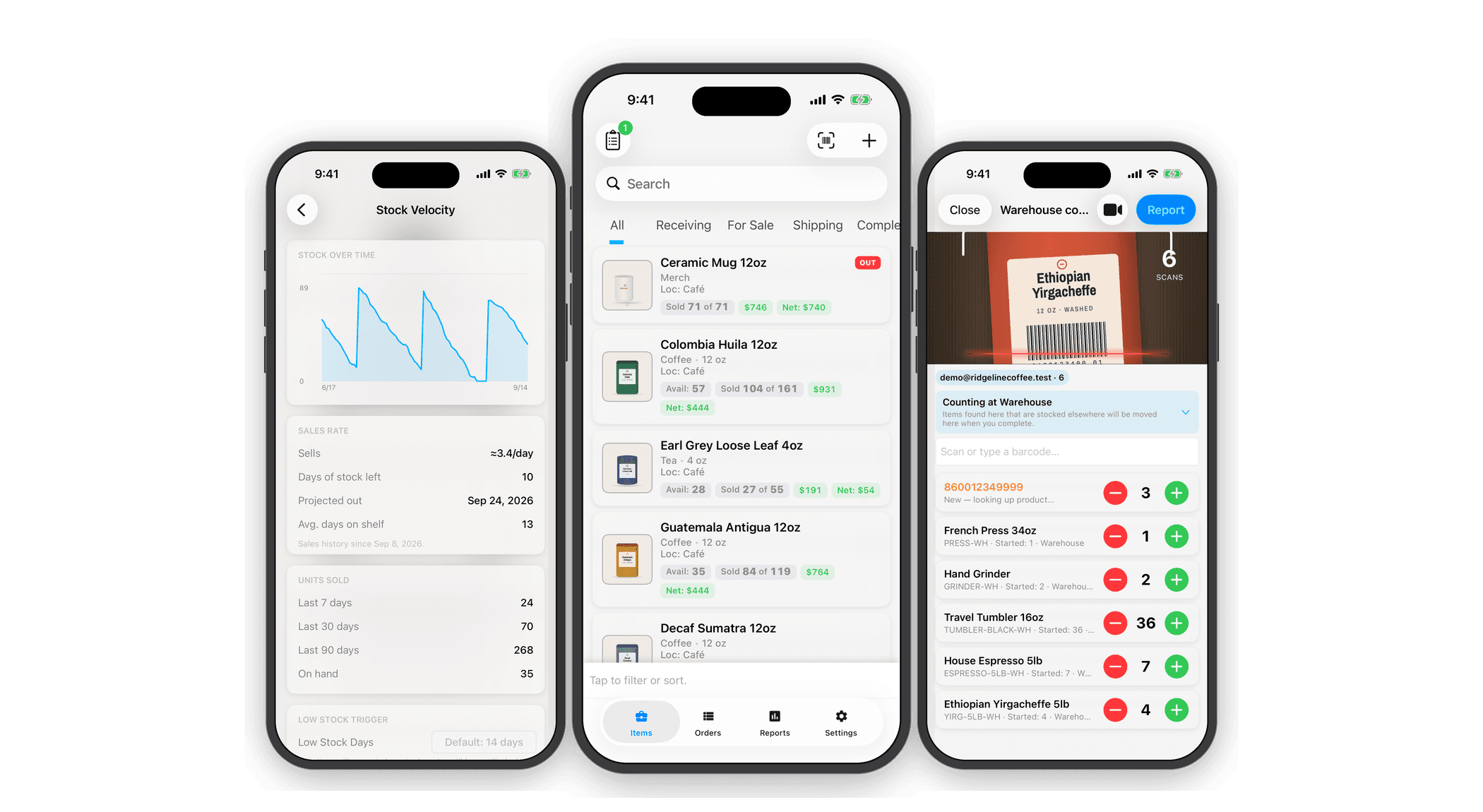
Lifecycle
Every item, from bought to delivered.
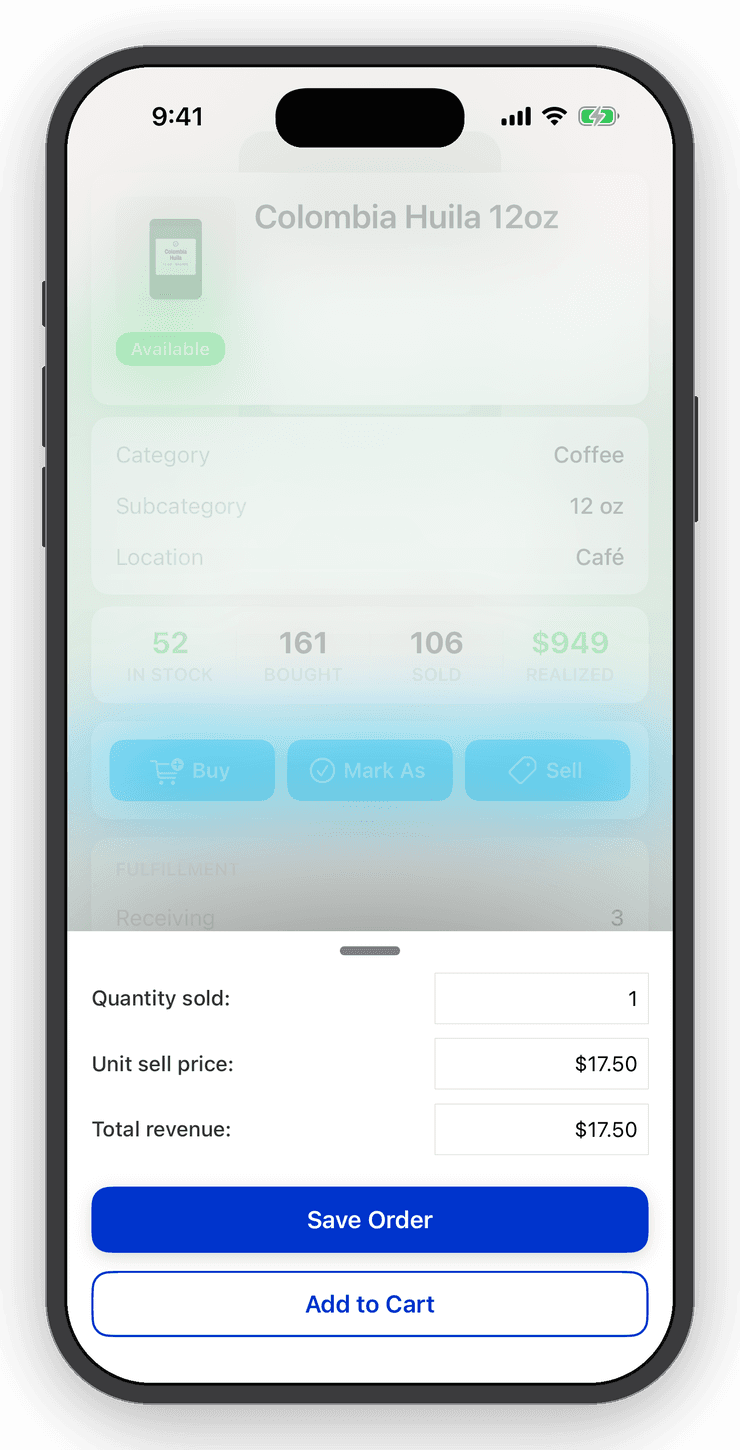
Items move through Bought → Received → Sold → Shipped → Delivered. Tell Inventory Now when you buy and when you sell, and the counts stay right. Received, shipped and delivered are optional, so use as much of the lifecycle as your business needs.
Add a category, location, date, cost and price, plus notes and custom fields named the way you talk about them. Lend gear out and take it back? Switch to a check-out / check-in lifecycle in Settings.
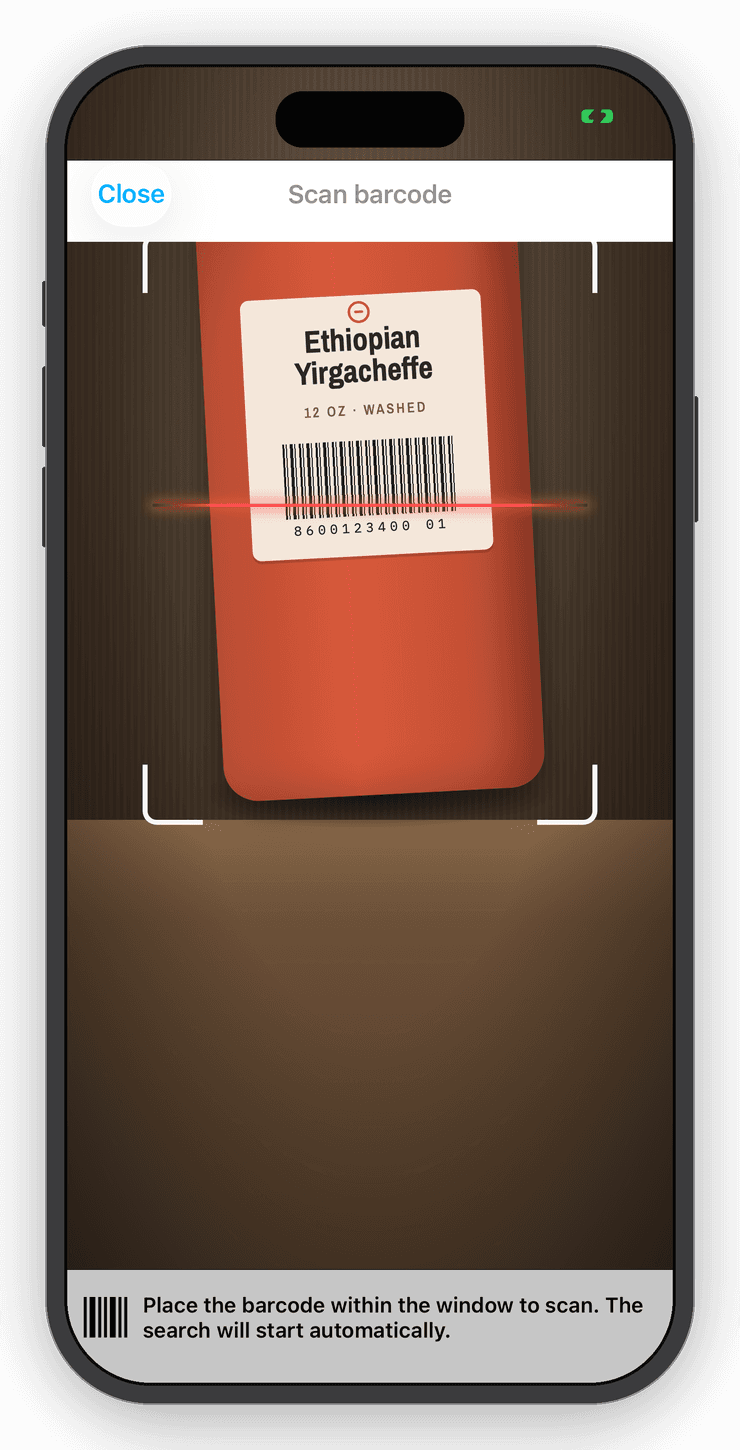
Barcode scanning
Point the camera. The item comes up.
Scan a barcode and the item opens instantly. Scan something new and Inventory Now looks it up in a shared product catalog, with an AI fallback that fills in the name, category and photo. Smart Scan does the same from a product photo or label.
Generate your own UPCs and SKUs in one tap and export them for printing. Bluetooth and USB scanners work too: scan from the Items tab and the item opens or is created.
Hardware
A $42 scanner and a $28 label printer, tested.
Pair a Bluetooth barcode scanner with your phone and every pull of the trigger is a scan: known items open with Buy and Sell one tap away, new ones are created with their details looked up, and stocktakes count as you walk the shelf.
Print the barcodes and SKUs Inventory Now generates on a pocket label printer, one at a time or the whole inventory in one job.
- Tera HW0002 scanner — about $42, pairs over Bluetooth with two scanned QR codes. The guide has the codes.
- SUPVAN T50M Pro printer — about $28, prints from Photos through the free Katasymbol app.
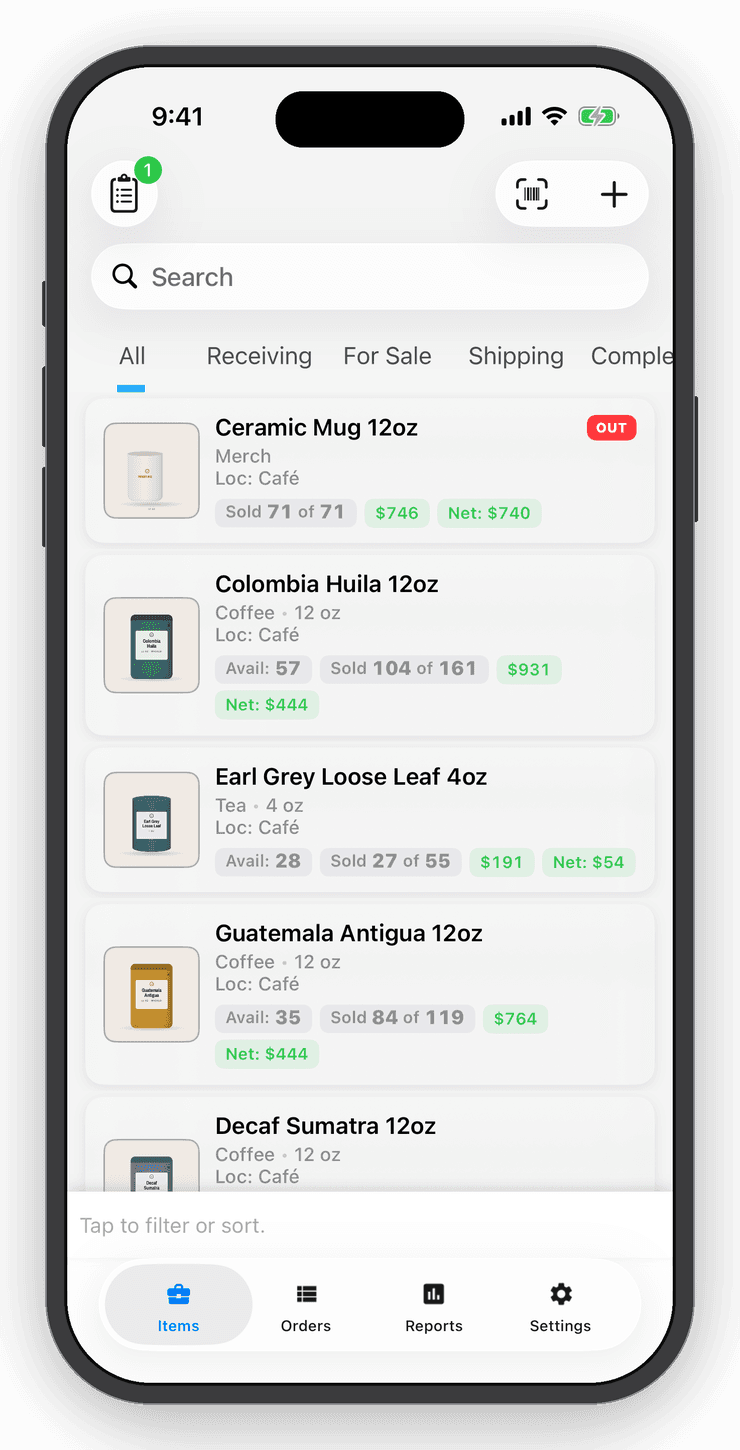
Variants
One product, every size and color.
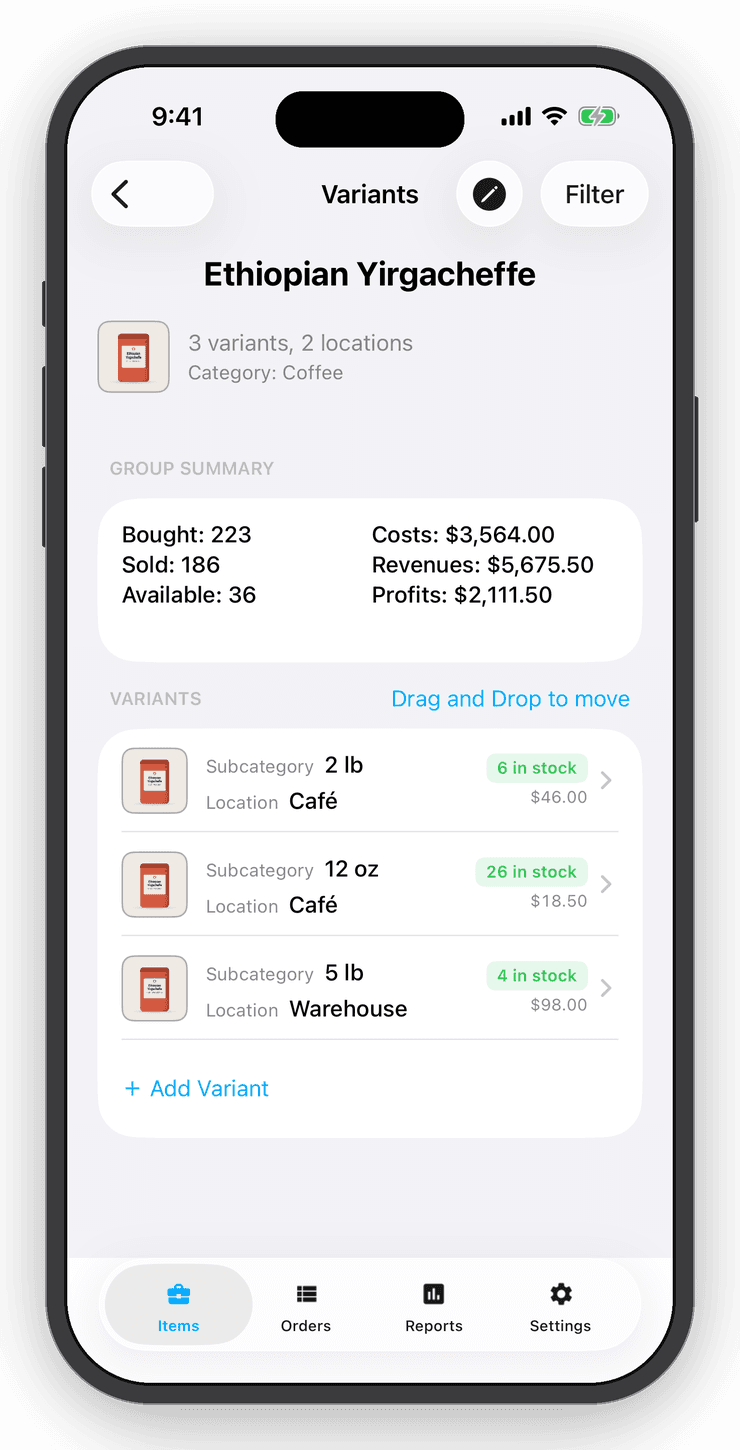
Link items into a variant group: sizes, colors, storefront and warehouse. See the group's totals in one line, drag stock from one location to another, and hide empty variants when a shelf runs bare.
Add a new variant from the group and it starts with the right name, category and price.
Point of sale
A point of sale in your pocket.
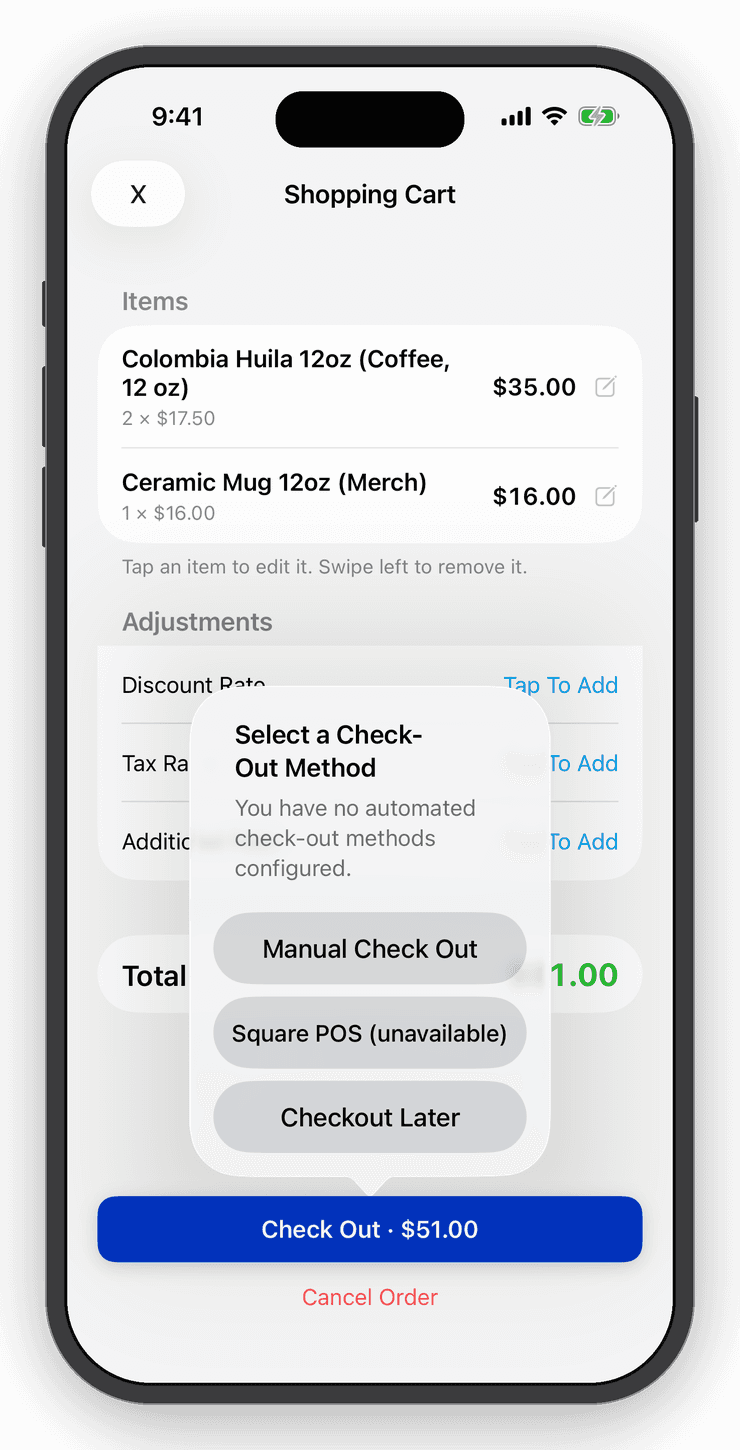
Add items to the cart, apply tax, fees and discounts, and check out. Take the payment with Square Point of Sale or Tap to Pay, record it by hand, or save the order and settle up later. Every checkout becomes an order with a receipt.
Turn on Register Mode and any device becomes a quick, cost-free counter for staff.
Orders & invoices
Every sale, tracked with true profit.
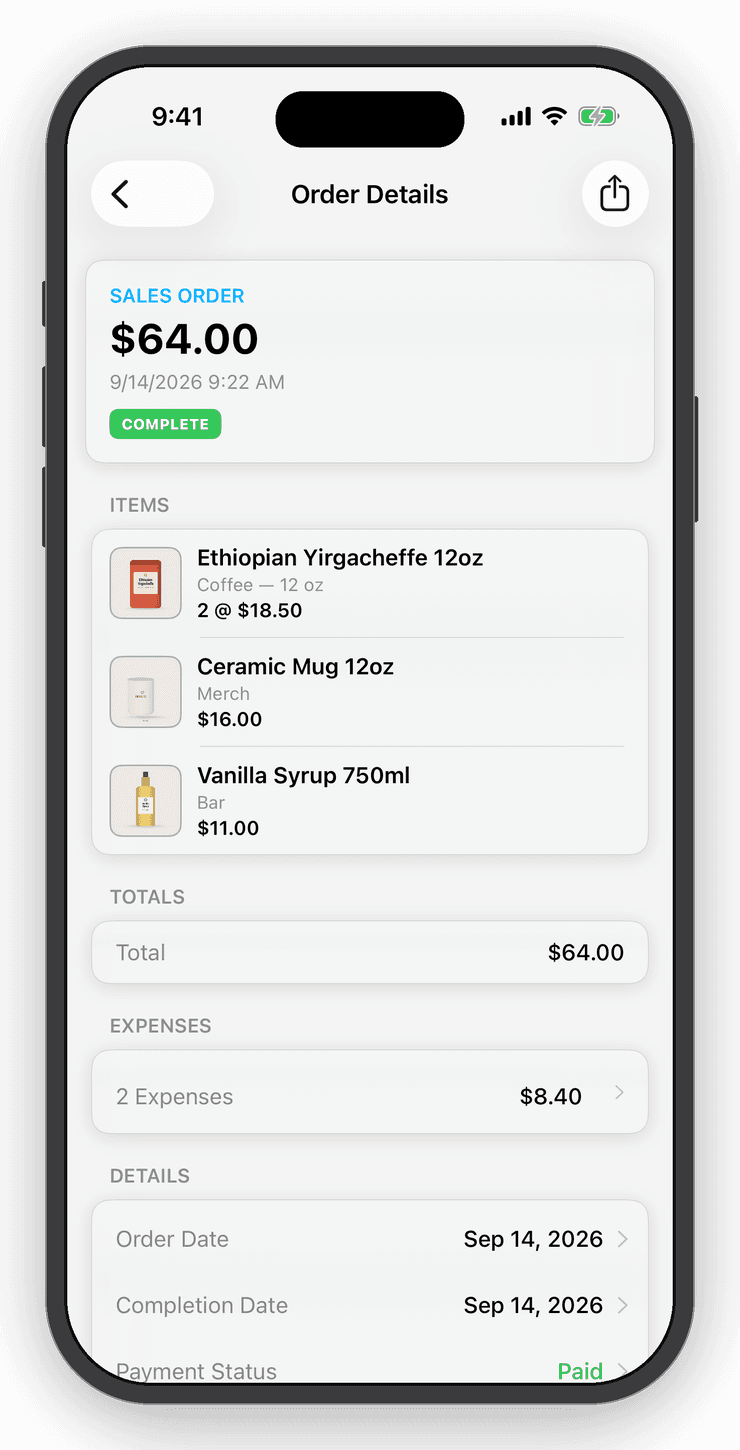
Each sale and purchase becomes an order. Add the customer and shipping details, attach expenses like postage and fees, and see the true profit on that order. Mark it complete and everything in it ships or is received in one tap.
Send invoices and receipts straight from the order, with your logo, item photos and your own footnotes.
Refunds
Refunds that don't rewrite history.
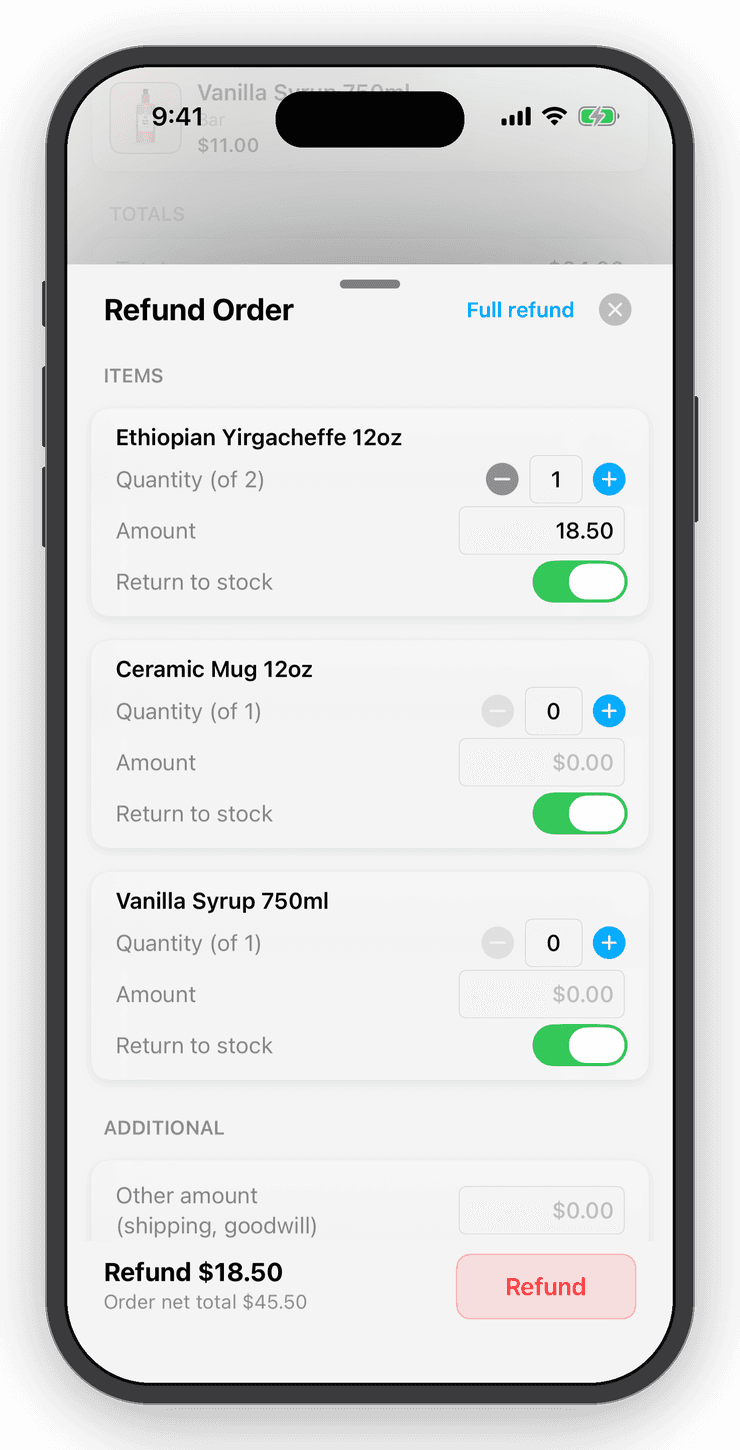
Refund an order in full or one line at a time. Say whether the goods came back to the shelf, add an extra amount for shipping or goodwill, and note the reason. The original sale stays as it was; the refund sits beside it, so your reports show gross and net and last month's revenue never quietly changes.
Refunds from Shopify and eBay arrive on their own. Every refund posts to QuickBooks as a refund receipt.
Stocktakes
Count a shelf, a room, or the whole store.
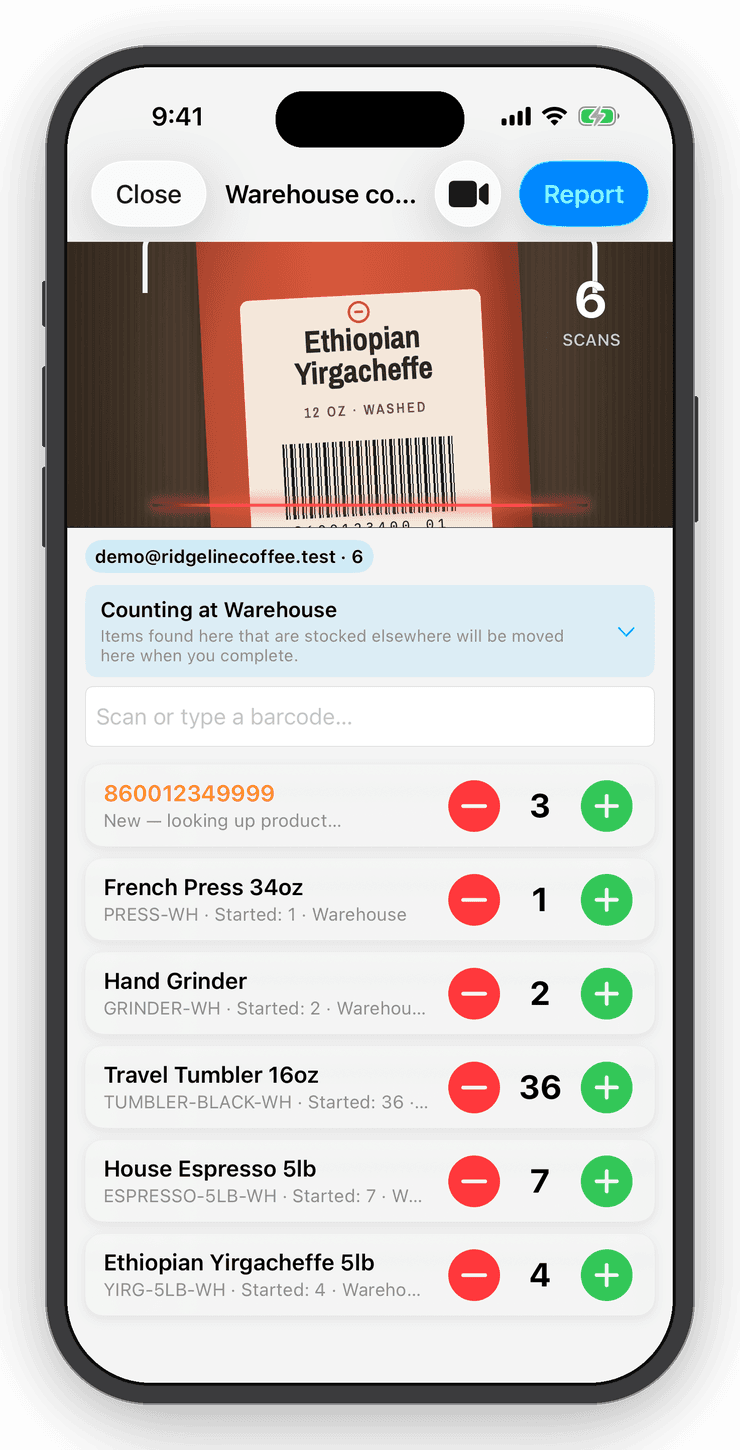
Start a stocktake, choose where you are counting, and scan. Counts add up as you go, and the session waits for you if you get interrupted. A barcode you have never stocked becomes a new item with its details filled in, so an empty account can walk a shelf and end with a full catalog.
Preview every discrepancy before you commit. Complete the session and Inventory Now adjusts the counts and keeps a report of what changed. Undo puts it all back. Prefer a spreadsheet? Export a count template, fill it in, and import it.
Stock velocity
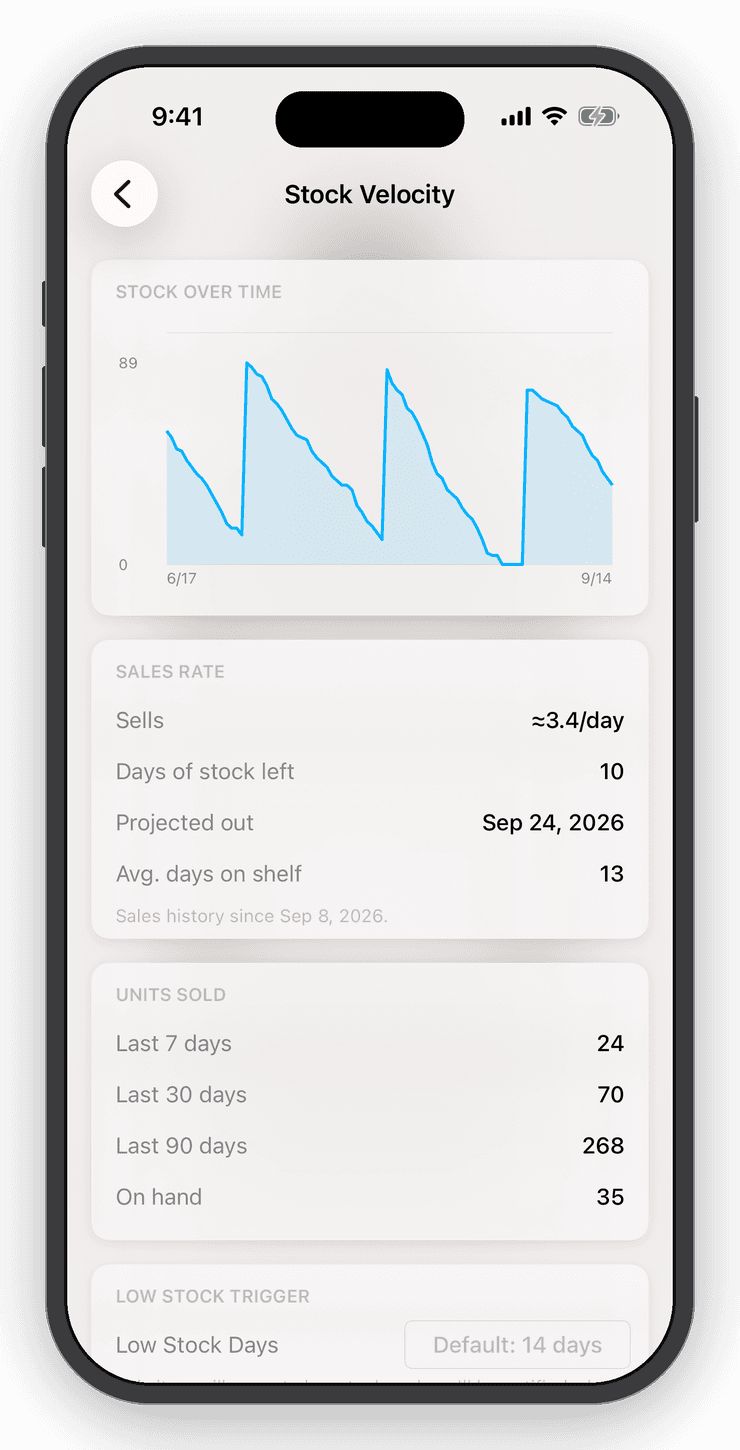
See how fast it sells, and how many days you have left.
Inventory Now watches every item's sales rate and turns your stock into days of cover. Set a low-stock threshold in units or in days, and get a push notification before you run out.
Open any item for its sales rate, units sold, and stock over time at 7, 30 and 90 days.
Reports
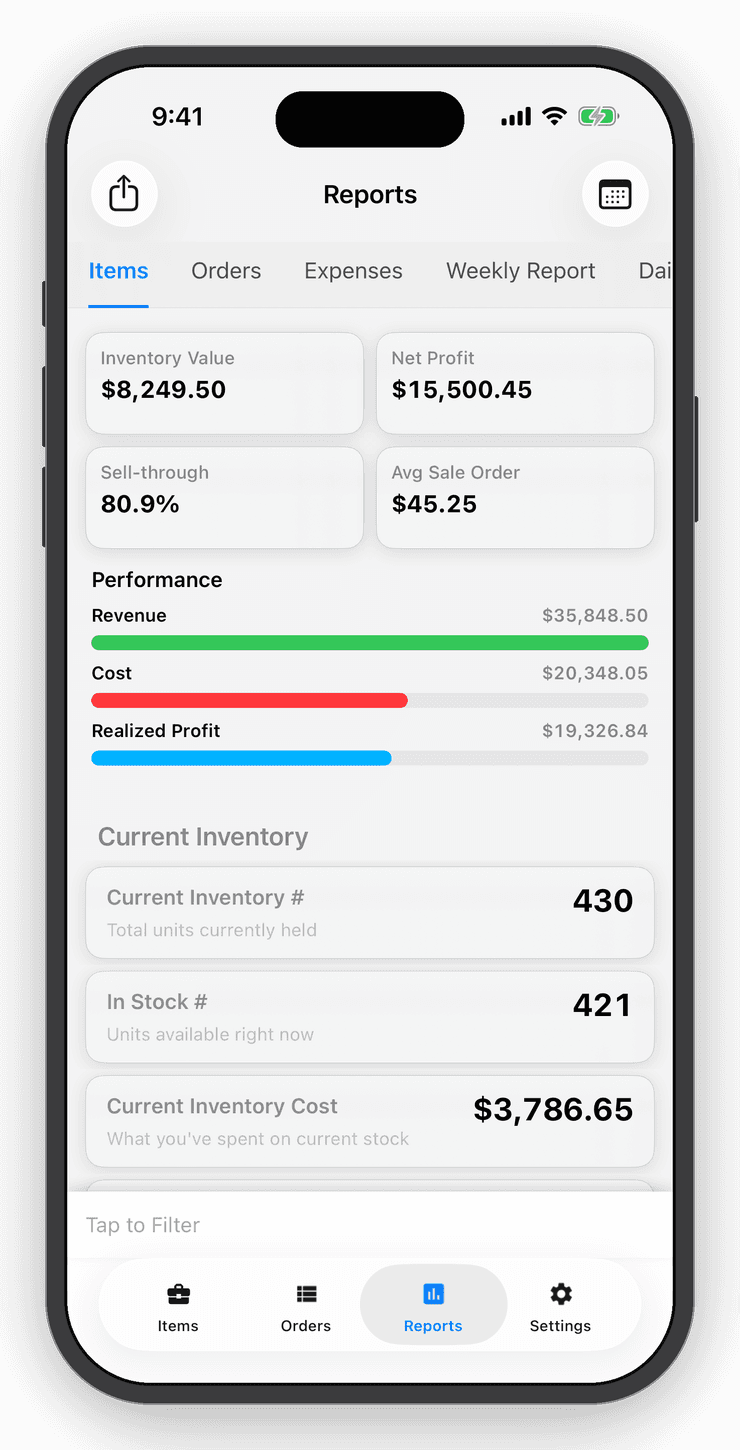
Profit, margins and value in one tap.
The summary shows what your inventory is worth, what you sold, and what you made, filtered by item, category, location, user or date range. Expense tracking turns gross profit into True Profit, and Pro accounts can switch from average cost to FIFO, which costs each sale at the price of the oldest units still on the shelf.
Pro accounts get a daily activity email with everything that happened in the shop.
Integrations
Connect the right tools for your team.
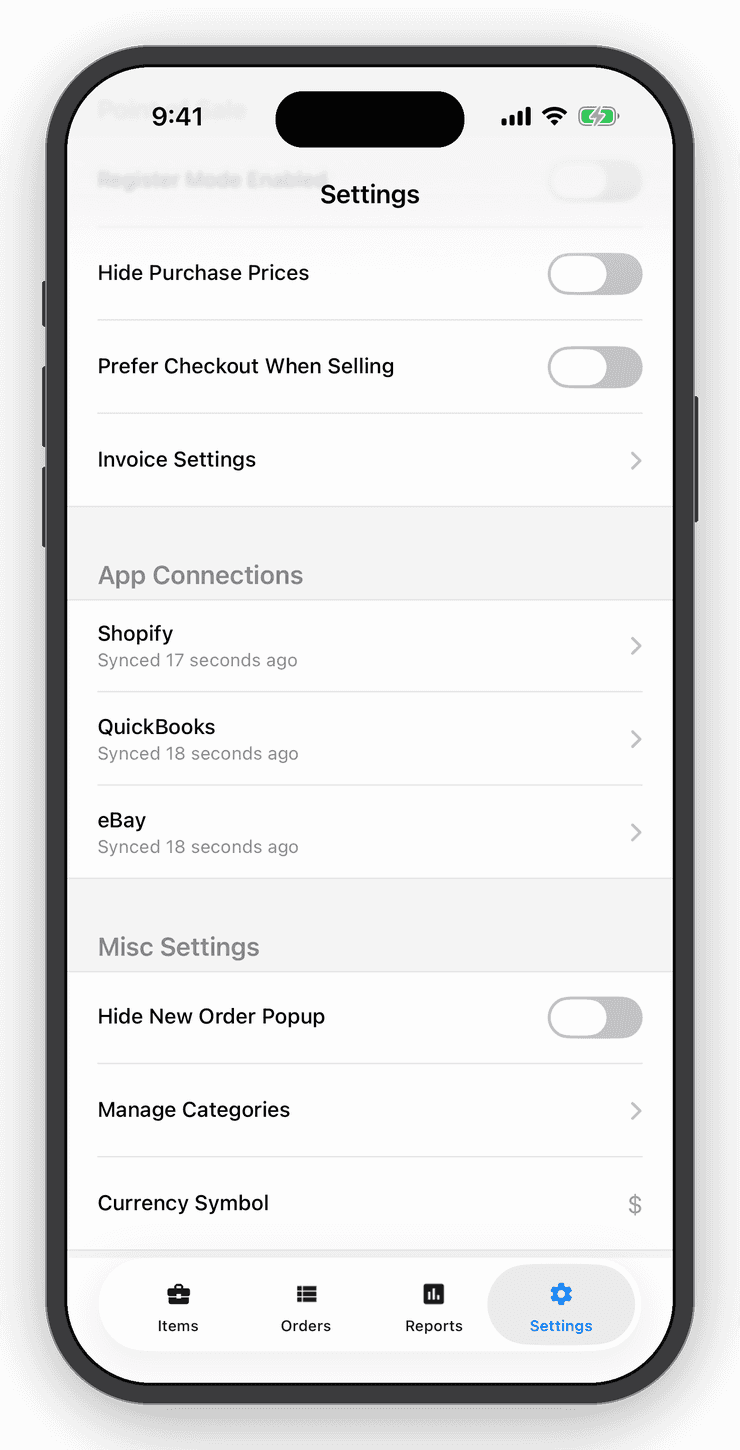
Sell in the shop or online and both stay right. Two-way Shopify sync, eBay order and listing import, Etsy orders and stock counts, QuickBooks receipts, Square payments, Dropbox backups and a documented REST API.
- Shopify — two-way sync of products, counts and orders. Push your catalog to Shopify in one tap.
- eBay — orders and listings import on their own, refunds included.
- Etsy — orders and fees import, listing quantities follow your stock, and new items push to Etsy as drafts.
- QuickBooks Online — every sale, refund and expense posts as a receipt, ready for your accountant.
- Square Point of Sale — take card payments in person.
- Dropbox — automatic backups, image and file exports.
- Developer API — scoped API keys and a documented REST API for anything else.
Team & sync
Every device, every person, one set of numbers.
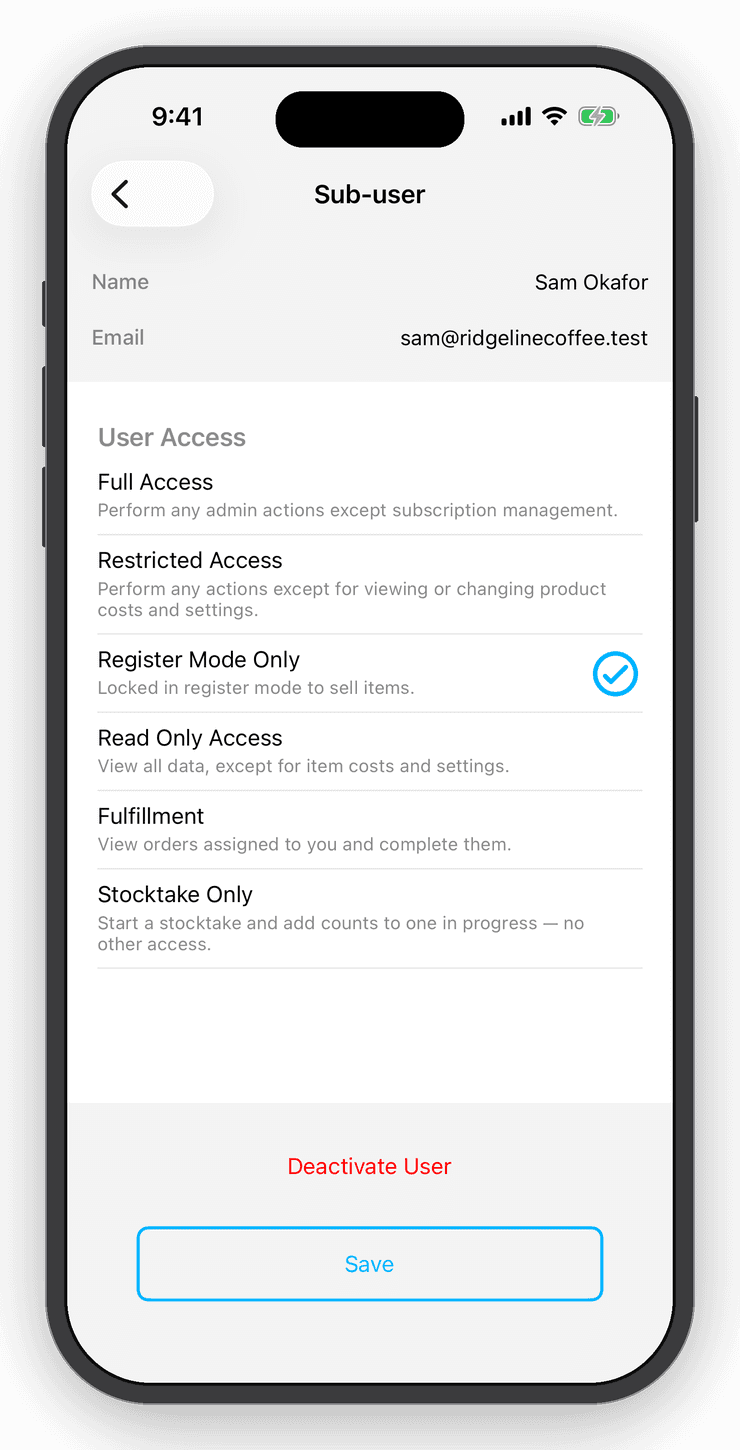
Create an account and your inventory syncs to every device the moment it changes. Add sub-users with exactly the access they need: view only, register only, or full access without seeing your costs.
Keep separate businesses in separate data sets.
Import, export & backups
Your data is yours.
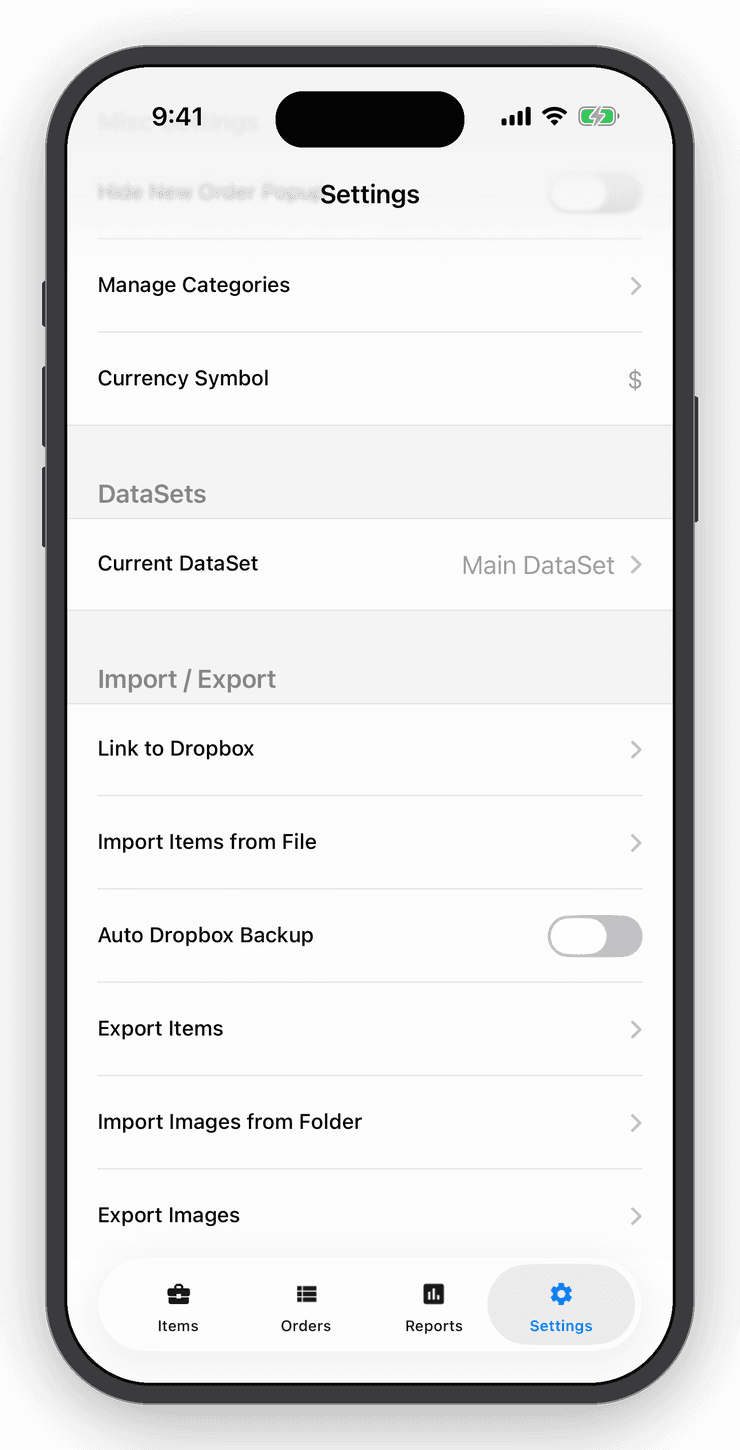
Import items from a simple CSV template, edit on a computer and import again. Export a clean PDF, your order history, an inventory summary, item images and barcode sheets, all with filters.
Automatic Dropbox backups keep a copy safe without you thinking about it.
Everywhere
iPhone, iPad, Mac, Android and the web.
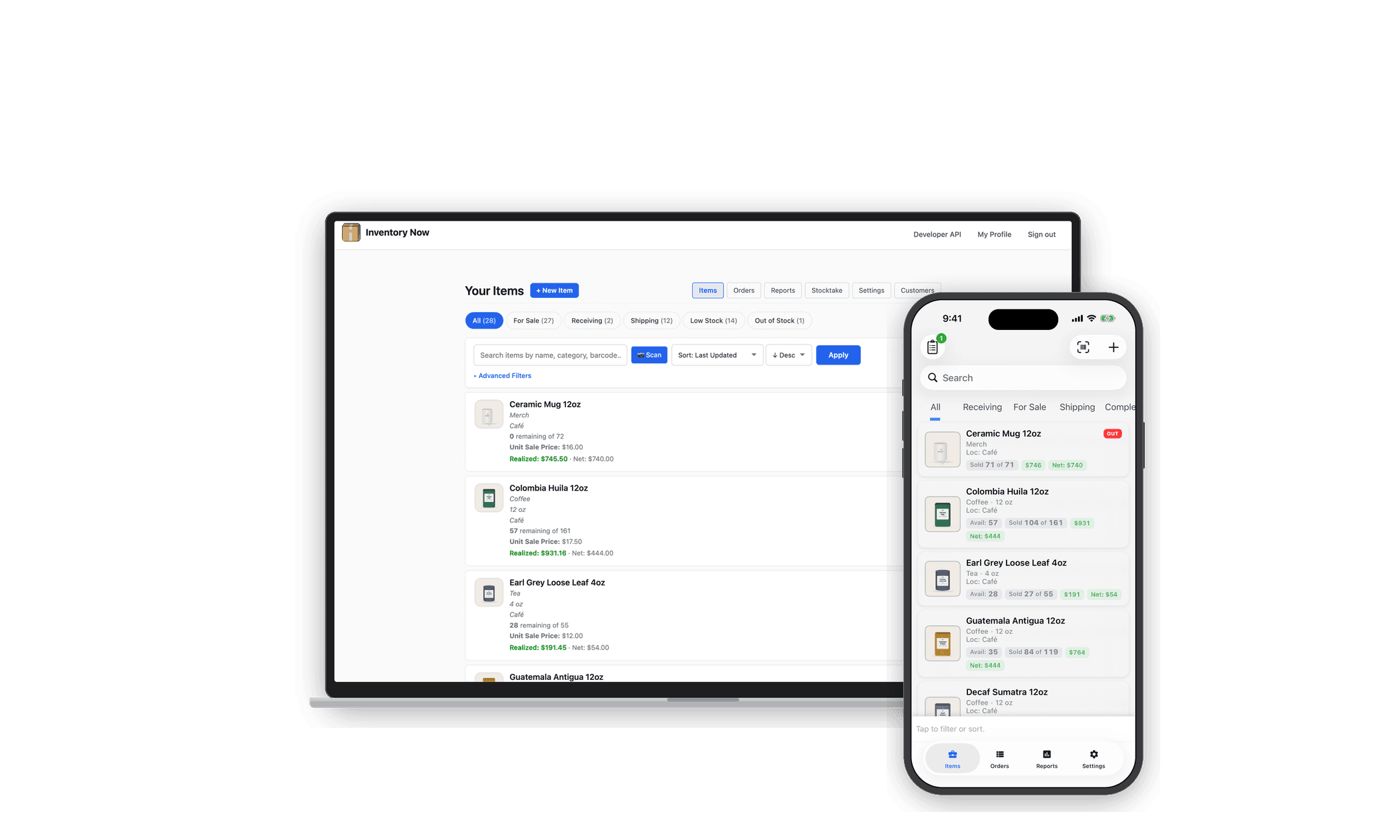
One account, every screen. Native apps on iPhone, iPad, Mac and Android, plus a full web app for the office. Start a count on your phone and finish the paperwork at your desk.
What's in each plan
Free, Personal or Professional.
Basics
Inventory items
Free: 10Personal: UnlimitedPro: UnlimitedDevices signed in
Free: 1Personal: 3Pro: UnlimitedCloud sync and automatic backups
Free: —Personal:Pro:Separate data sets for separate businesses
Free: —Personal:Pro:
Items and scanning
Camera barcode and QR scanning
Free:Personal:Pro:Hardware scanner support (Linea Pro, Bluetooth, USB)
Free:Personal:Pro:Catalog lookup and Smart Scan for new items
Free: LimitedPersonal: LimitedPro: Near-unlimitedGenerate UPCs and SKUs, export barcode sheets
Free: —Personal:Pro:Bought → received → sold → shipped lifecycle
Free:Personal:Pro:Check-out / check-in mode for equipment
Free:Personal:Pro:Categories, locations, photos, notes and custom fields
Free:Personal:Pro:Variants across sizes, colors and locations
Free:Personal:Pro:Low-stock notifications by quantity
Free: —Personal:Pro:
Selling
Cart, orders and manual checkout
Free:Personal:Pro:Receipts and invoices with your logo and item photos
Free:Personal:Pro:Customer and shipping details on orders
Free:Personal:Pro:Square Point of Sale and Tap to Pay checkout
Free: —Personal: —Pro:Register Mode for staff
Free: —Personal: —Pro:Refunds, partial refunds and returns to stock
Free: —Personal: —Pro:Customer management
Free: —Personal: —Pro:
Channels and integrations
Shopify two-way sync and catalog push
Free: —Personal: —Pro:eBay orders, listings and refunds
Free: —Personal: —Pro:Etsy orders, fees, stock counts and draft push
Free: —Personal: —Pro:QuickBooks Online receipts and expenses
Free: —Personal: —Pro:Dropbox backups and exports
Free: —Personal:Pro:Developer API keys
Free: —Personal: —Pro:
Counting and reports
Reports: inventory value, sales, profit and margin
Free:Personal:Pro:CSV import and export, PDF exports
Free: —Personal:Pro:Stocktake sessions with discrepancy reports
Free: —Personal: 1 per monthPro: UnlimitedStock velocity and days-of-stock alerts
Free: —Personal: —Pro:Expense tracking and True Profit
Free: —Personal: —Pro:FIFO cost accounting
Free: —Personal: —Pro:Daily activity email
Free: —Personal: —Pro:
Team and access
Web app on any computer
Free: —Personal: —Pro:Sub-users with view-only, register-only or full access
Free: —Personal: —Pro:
| Feature | Free | Personal | Professional |
|---|---|---|---|
| Basics | |||
| Inventory items | 10 | Unlimited | Unlimited |
| Devices signed in | 1 | 3 | Unlimited |
| Cloud sync and automatic backups | — | ||
| Separate data sets for separate businesses | — | ||
| Items and scanning | |||
| Camera barcode and QR scanning | |||
| Hardware scanner support (Linea Pro, Bluetooth, USB) | |||
| Catalog lookup and Smart Scan for new items | Limited | Limited | Near-unlimited |
| Generate UPCs and SKUs, export barcode sheets | — | ||
| Bought → received → sold → shipped lifecycle | |||
| Check-out / check-in mode for equipment | |||
| Categories, locations, photos, notes and custom fields | |||
| Variants across sizes, colors and locations | |||
| Low-stock notifications by quantity | — | ||
| Selling | |||
| Cart, orders and manual checkout | |||
| Receipts and invoices with your logo and item photos | |||
| Customer and shipping details on orders | |||
| Square Point of Sale and Tap to Pay checkout | — | — | |
| Register Mode for staff | — | — | |
| Refunds, partial refunds and returns to stock | — | — | |
| Customer management | — | — | |
| Channels and integrations | |||
| Shopify two-way sync and catalog push | — | — | |
| eBay orders, listings and refunds | — | — | |
| Etsy orders, fees, stock counts and draft push | — | — | |
| QuickBooks Online receipts and expenses | — | — | |
| Dropbox backups and exports | — | ||
| Developer API keys | — | — | |
| Counting and reports | |||
| Reports: inventory value, sales, profit and margin | |||
| CSV import and export, PDF exports | — | ||
| Stocktake sessions with discrepancy reports | — | 1 per month | Unlimited |
| Stock velocity and days-of-stock alerts | — | — | |
| Expense tracking and True Profit | — | — | |
| FIFO cost accounting | — | — | |
| Daily activity email | — | — | |
| Team and access | |||
| Web app on any computer | — | — | |
| Sub-users with view-only, register-only or full access | — | — | |
See it work
See every feature in one tour.
The full walkthrough of the app, from scanning the first item to syncing sales channels and reading true profit.
Free for your first ten items.
No account, no card. When the shelf gets crowded, Personal is $10 a month.