
QuickBooks Online integration
Books that write themselves.
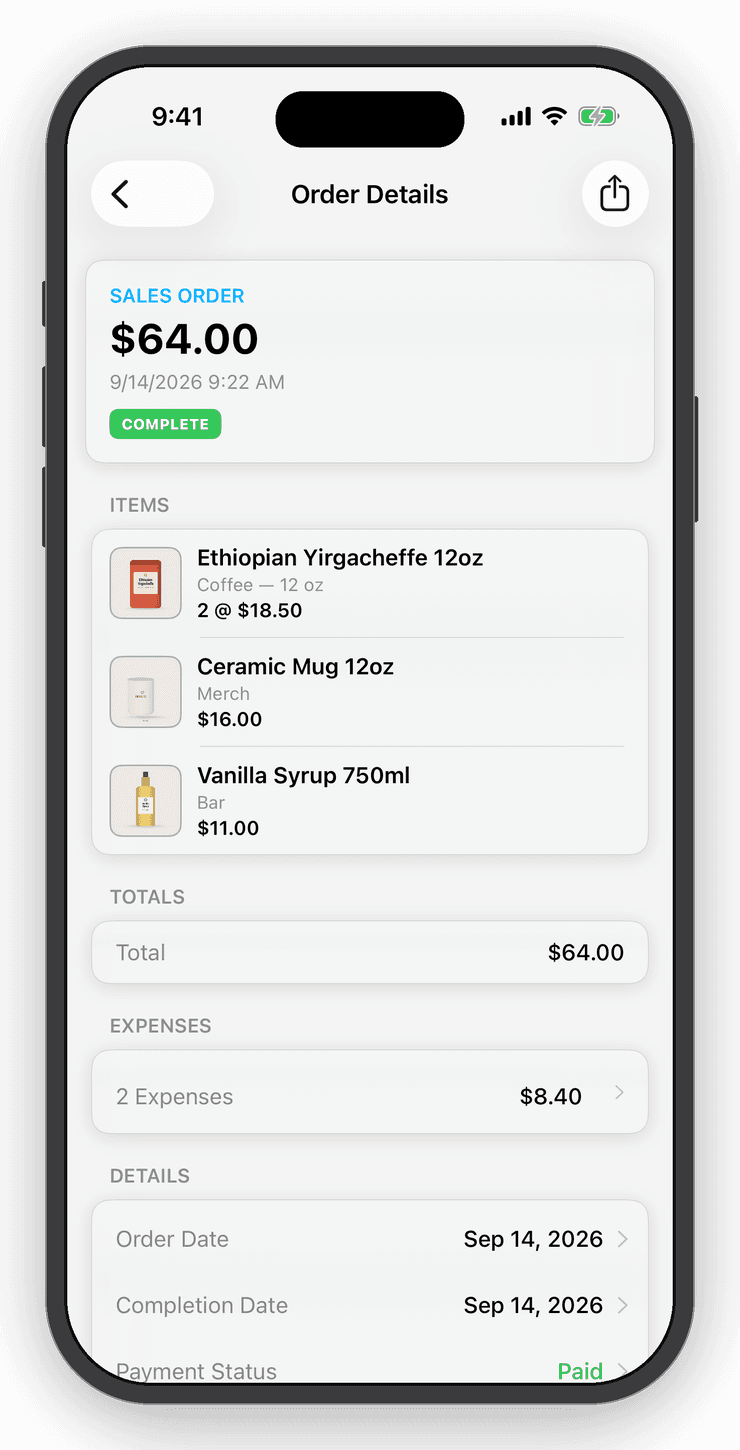
Connect QuickBooks Online once. Every sale posts as a sales receipt, every refund as a refund receipt, and every order expense as an expense. Your accountant gets clean records without you re-typing a thing.


- Nº 1
Re-keying sales
Sales you take on your phone, Shopify or eBay post to QuickBooks as sales receipts on their own.
- Nº 2
Refunds done twice
A refund recorded in Inventory Now posts as a QuickBooks refund receipt, matched to the original sale.
- Nº 3
Lost expenses
Postage, fees and supplies attached to orders flow through as expenses so profit in both systems agrees.
Receipts
Sales, refunds and expenses, posted for you.
Each completed order creates a sales receipt in QuickBooks Online. Refunds create refund receipts. Order expenses post as expenses. Nothing to export, nothing to import.
Reports
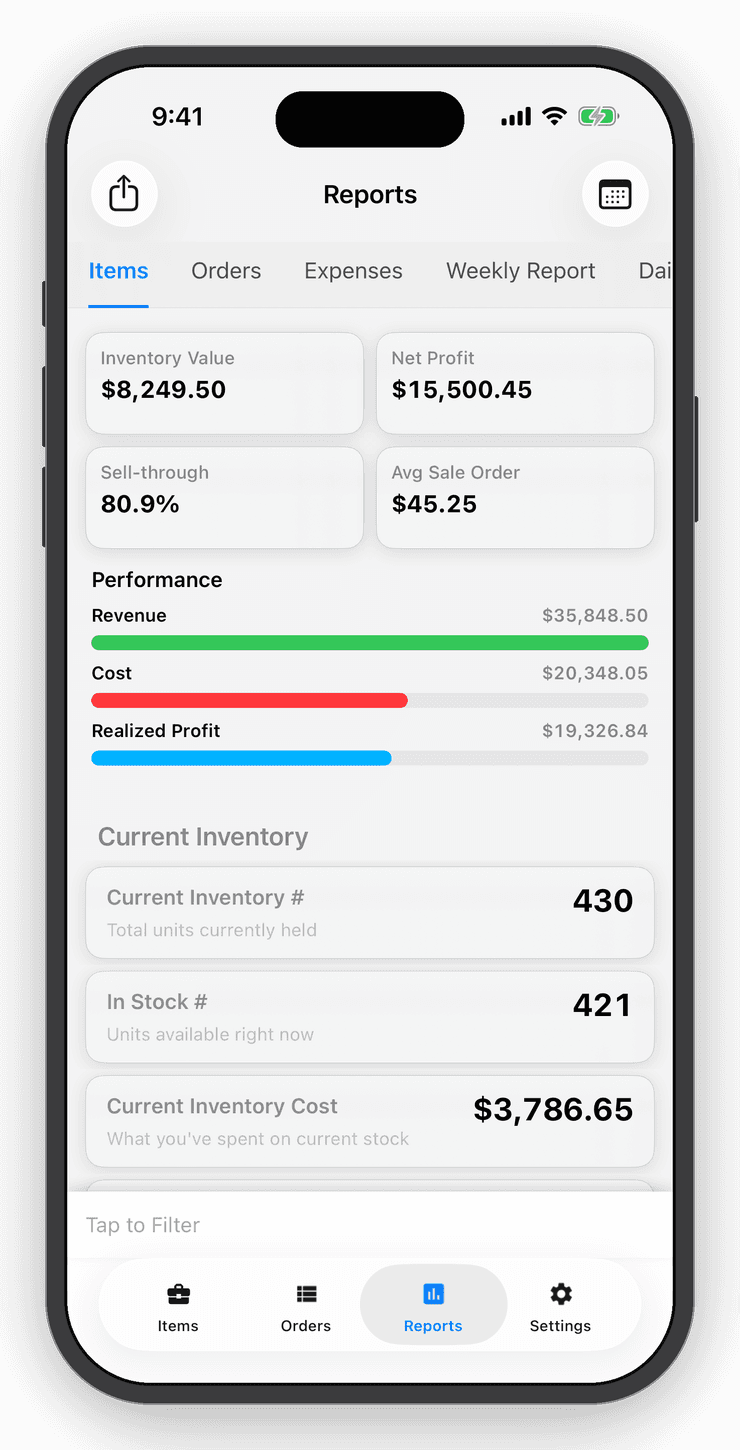
Profit, margins and value in one tap.
See what your inventory is worth, what you sold and what you made, filtered by item, category, location, user or date range. Expense tracking turns gross profit into True Profit.
Daily activity
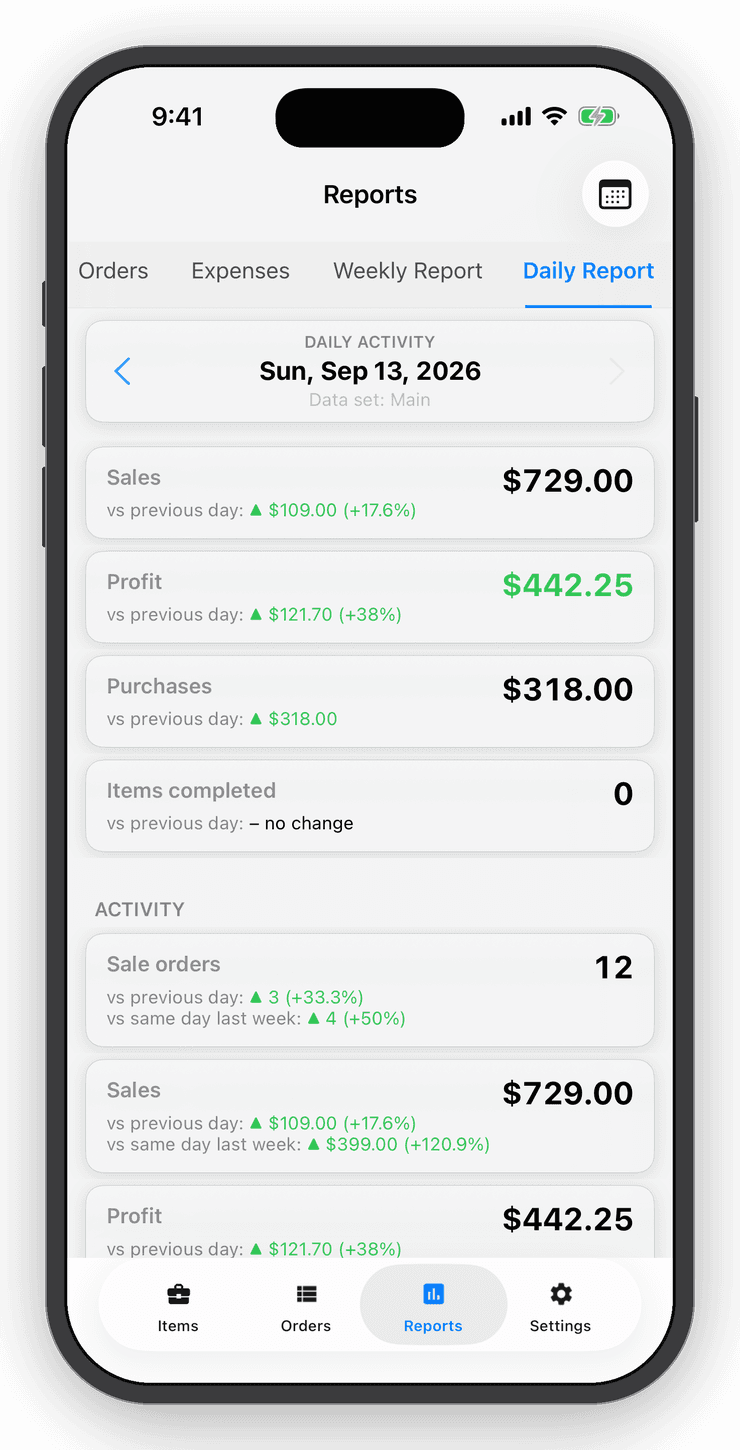
A daily email of everything that happened.
Professional accounts get a daily activity email with sales, purchases, refunds and expenses, so you can spot anything odd before it reaches the books.
Questions
Good to know
QuickBooks Online. Connect it from Settings → App Connections with your Intuit login.
Free for your first ten items.
No account, no card. When the shelf gets crowded, Personal is $10 a month.