
For Shopify merchants who used Stocky
Stocky is gone. Your stock counts don't have to be.
Shopify shut Stocky down on August 31, 2026 and folded some of it into the admin. Inventory Now keeps the two-way Shopify sync and gives you back the parts that mattered: scan-to-count stocktakes with a discrepancy report, purchase orders with receiving, transfers between locations, and reorder alerts that follow your sales rate.


Feature by feature
What Stocky did, and where it lives now.
Two rows are honest partials. Everything else is shipped and in the App Store today.
| Stocky feature | In Stocky | In Inventory Now |
|---|---|---|
| Stock counts / stocktakes | Stocktakes by location | Scan-to-count sessions per location, discrepancy preview before commit, report kept, undo |
| Two-way Shopify inventory sync | Native | Products, variants, quantities and orders sync both ways; refunds import |
| Purchase orders and receiving | POs with receive step | Buy orders with a Received stage; items sit as on-order until they arrive; expenses attach to the order |
| Stock transfers between locations | Removed July 2025 | Drag stock between locations in a variant group; cost moves with it |
| Low-stock and reorder alerts | Low stock report, min/max | Threshold per item in units or days of cover; push notification when crossed |
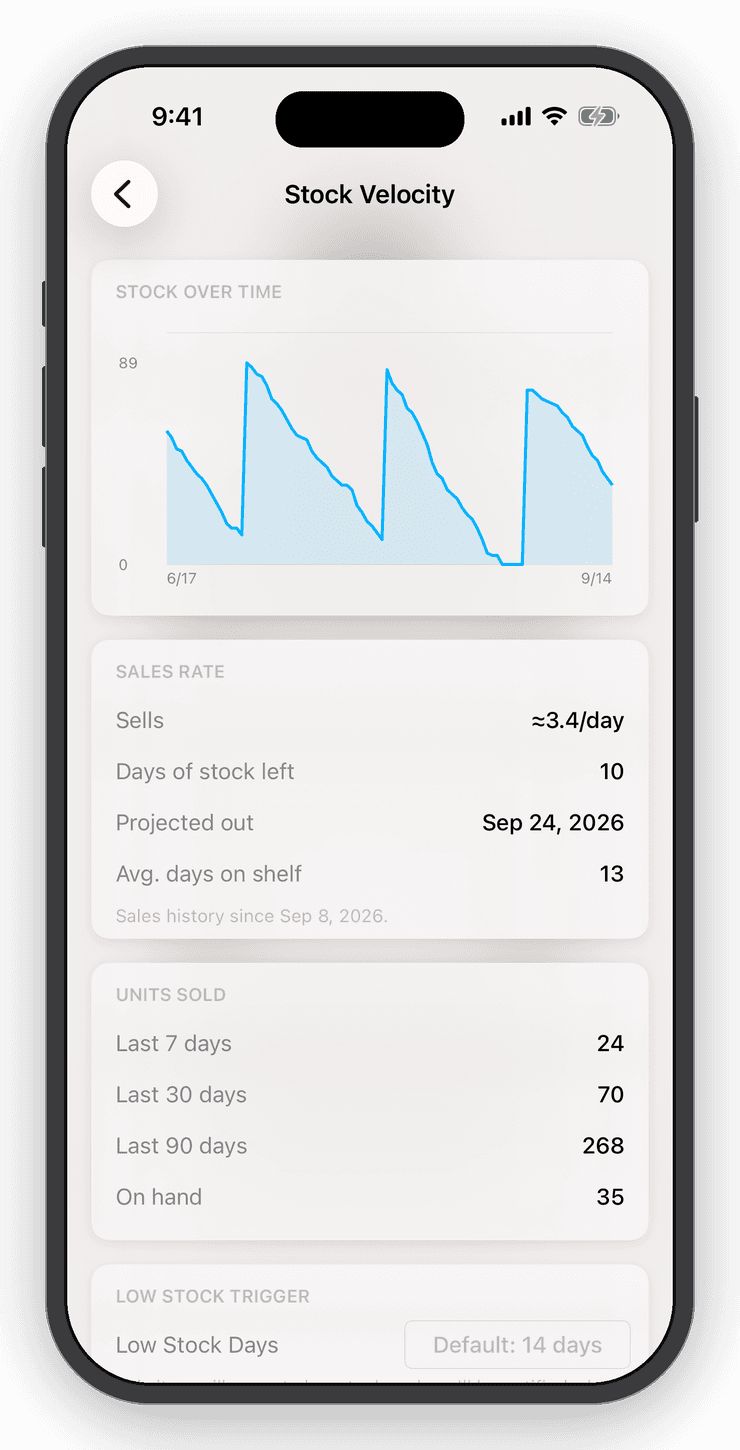
| Demand forecasting | Removed July 2025 | Sales velocity and days-of-stock per item over 7, 30 and 90 days; not a full forecast |
| Supplier records | Supplier management | Custom fields and notes on items and orders; no separate supplier directory |
| Point of sale | Via Shopify POS | Keep Shopify POS at the counter (sync keeps it right) or use the built-in cart with Square or Tap to Pay |
| Barcode scanning and labels | Via Shopify POS hardware | Camera, Bluetooth and Linea Pro scanners; generate UPCs and SKUs; print barcode sheets |
| Accounting | None | Sales, refunds and expenses post to QuickBooks Online |
| Runs on | Shopify admin (web) | iPhone, iPad, Mac, Android and web, one account |
shipped partial
Stock counts
Count a shelf, a room, or the whole store.
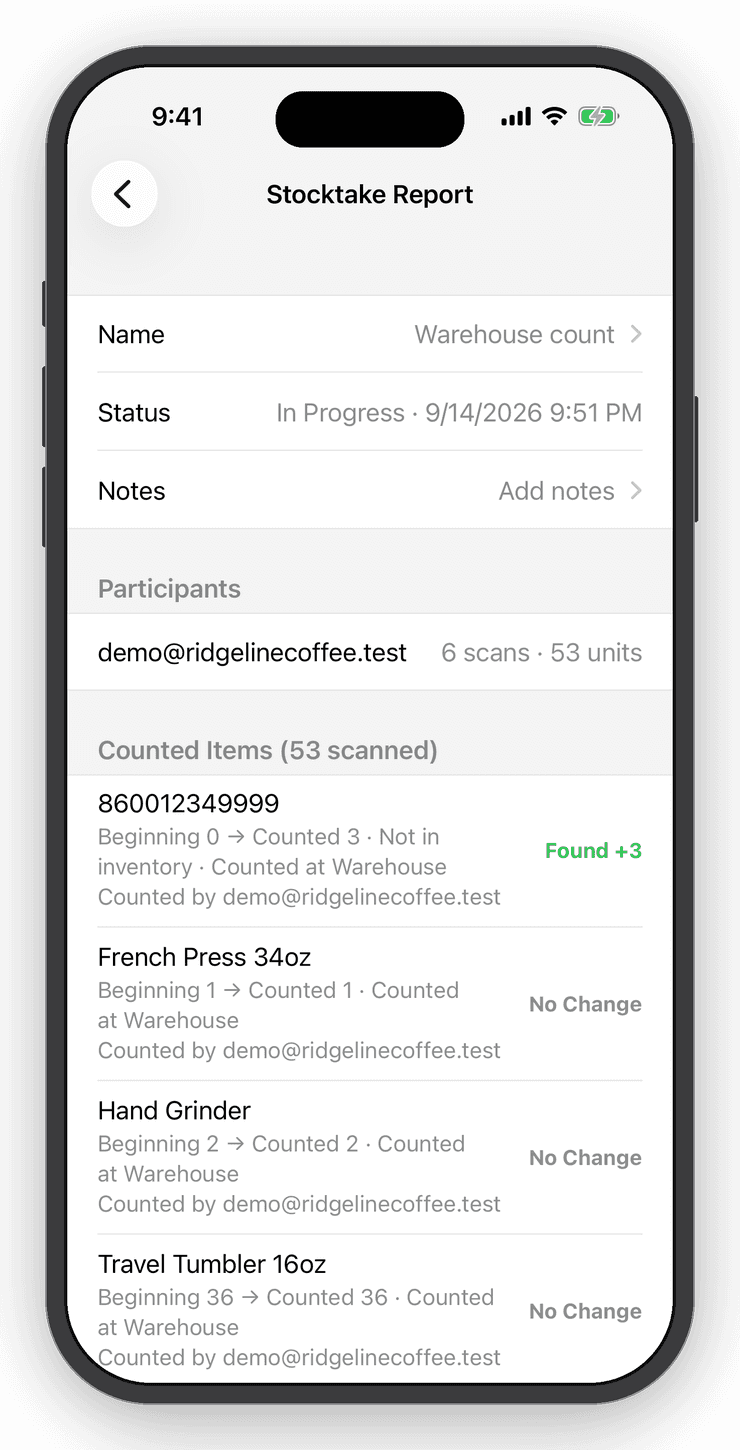
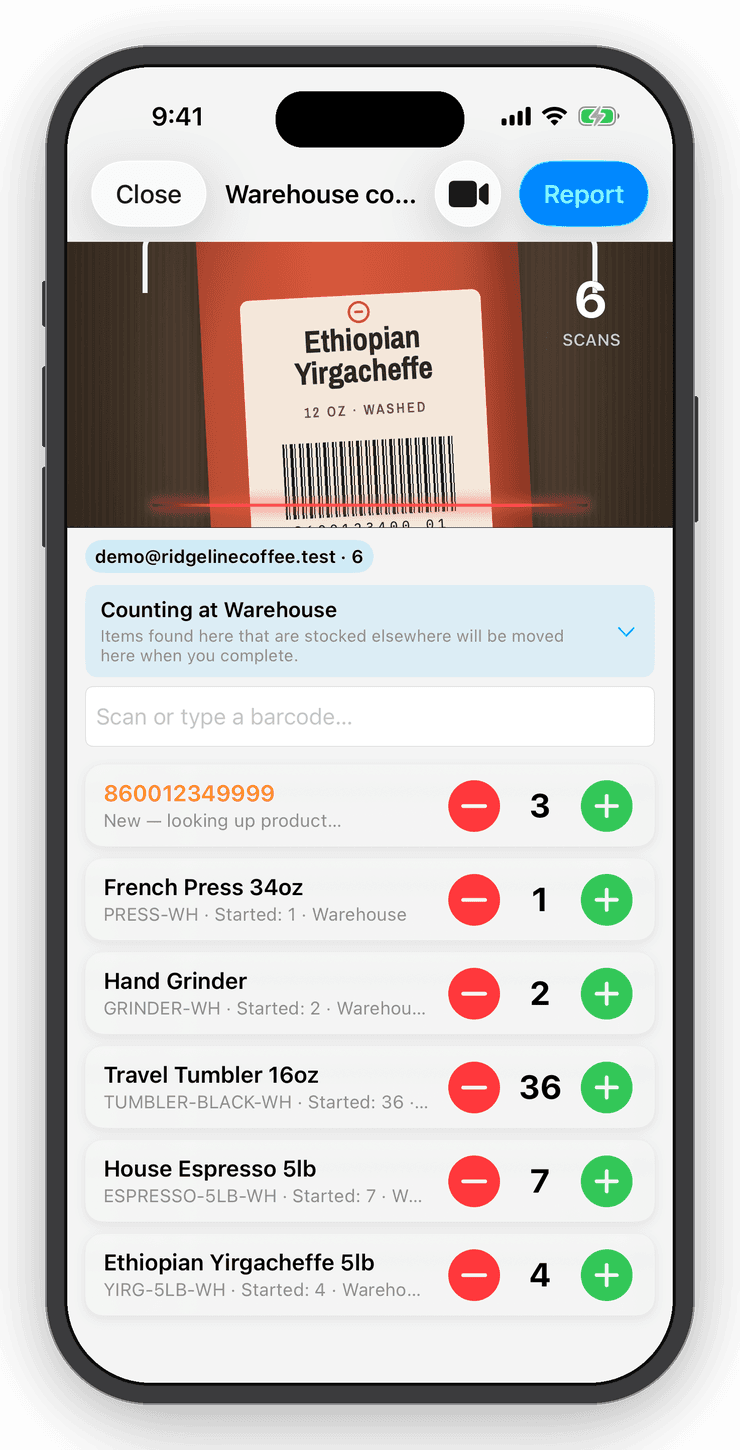
Start a stocktake, choose the location and scan. Counts add up as you go and the session waits if a customer interrupts. Preview every discrepancy against what Shopify thinks you have, commit, and the report is kept. Undo puts it all back.
Purchase orders
Bought, then received.
A buy order records what you ordered and what it cost. Until you mark it received, the stock shows as on order, not on the shelf. Attach freight, duties and fees to the order so the landed cost, and the margin on every later sale, is real.
Reorder alerts
Days of stock instead of a stale minimum.
Inventory Now watches each item's sales rate and turns the quantity into days of cover. Set the threshold in days and a push notification arrives with your supplier's lead time to spare, whatever the season is doing to sales.
Shopify sync
Keep Shopify POS. Add the back room.
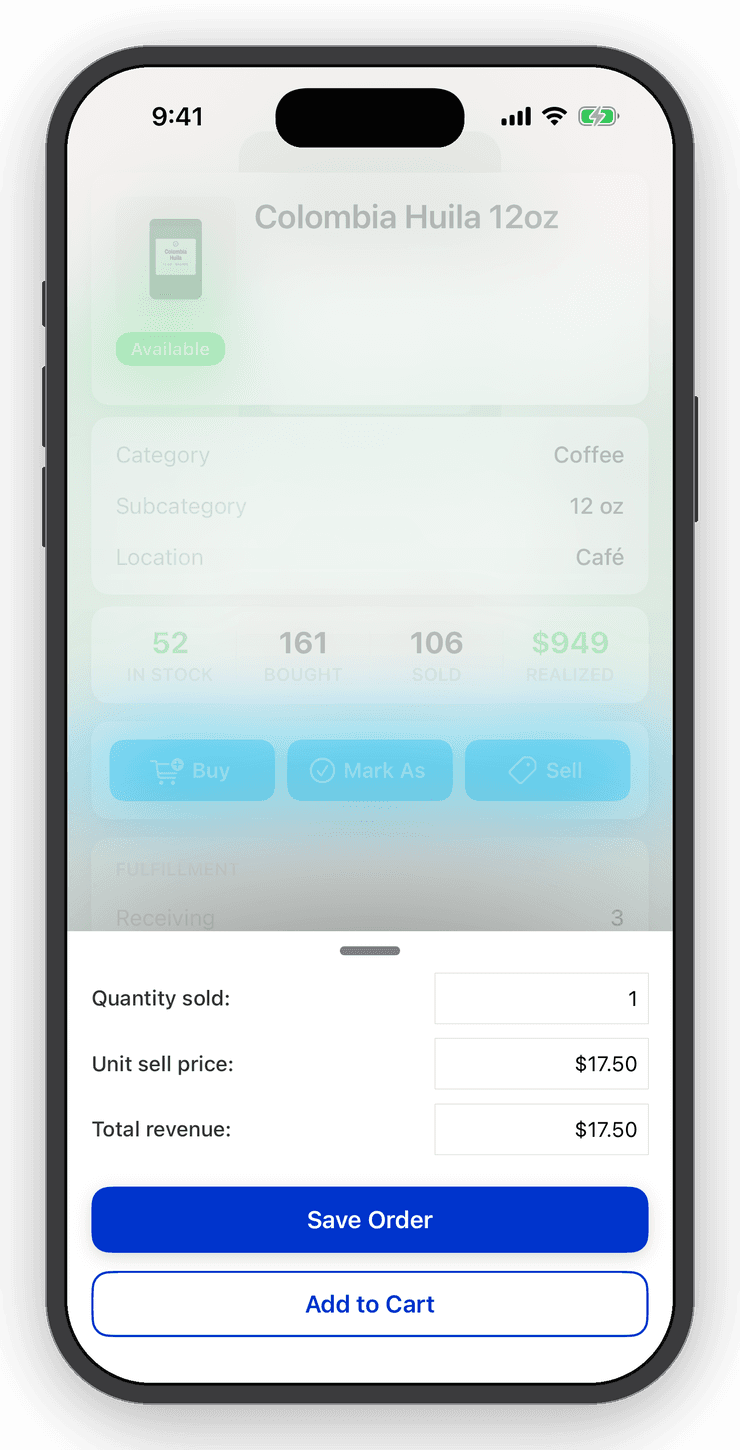
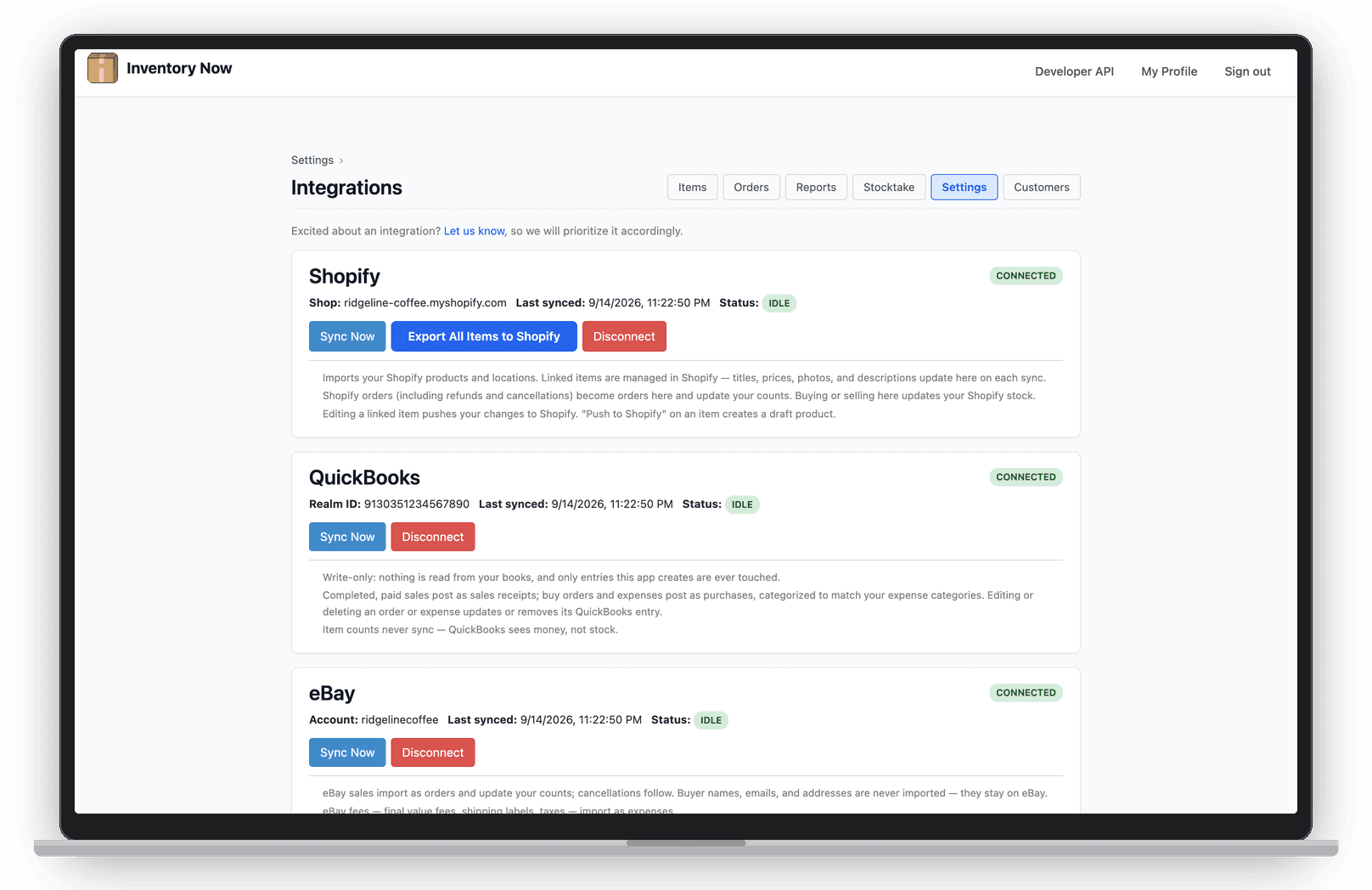
Products, variants, quantities and orders sync both ways. Sell at the counter in Shopify POS or online and Inventory Now's counts follow; count or receive in Inventory Now and Shopify's quantities update. Refunds arrive on their own.
Moving over
Six steps, one afternoon.
- Step 1
Export what you can from Stocky
Shopify is giving read-only access for a transition period, but purchase orders and stocktake history do not migrate anywhere automatically. Export the CSVs you may need for your accountant before access ends.
- Step 2
Install Inventory Now and connect Shopify
Settings → App Connections → Shopify. Products, variants, images, prices and current quantities import; from then on every sale on either side adjusts both.
- Step 3
Match your locations
Stocky counted per Shopify location. Inventory Now uses locations too; the same product across locations shows as a variant group with one-line totals.
- Step 4
Run a first stocktake
Walk each location with the camera. The discrepancy preview shows where Stocky's last count and the shelf disagree before you commit anything.
- Step 5
Set reorder thresholds in days
Stocky's min/max levels went stale as sales changed. Set a threshold in days of cover instead, and the alert follows the sales rate.
- Step 6
Raise purchase orders as buy orders
A buy order marks stock Bought; receiving it marks it Received and puts it on the shelf. Attach freight and duties to the order so landed cost is real.
Shopify's own notes on the transition are in the Shopify Help Center.
Questions
Straight answers
Shopify removed Stocky from the App Store on February 2, 2026 and shut it down on August 31, 2026. Inventory transfers and forecasting had already been removed in July 2025.
Counting again by Friday.
Connect Shopify, walk the shelf, set your thresholds. Professional is $20 a month billed yearly, with a free trial.