
Dropbox integration
A copy of everything, where you can see it.
Turn on automatic Dropbox backups and Inventory Now keeps a copy of your data in your own Dropbox. Export CSVs, PDFs, item images and barcode sheets there too, and import edited files back.


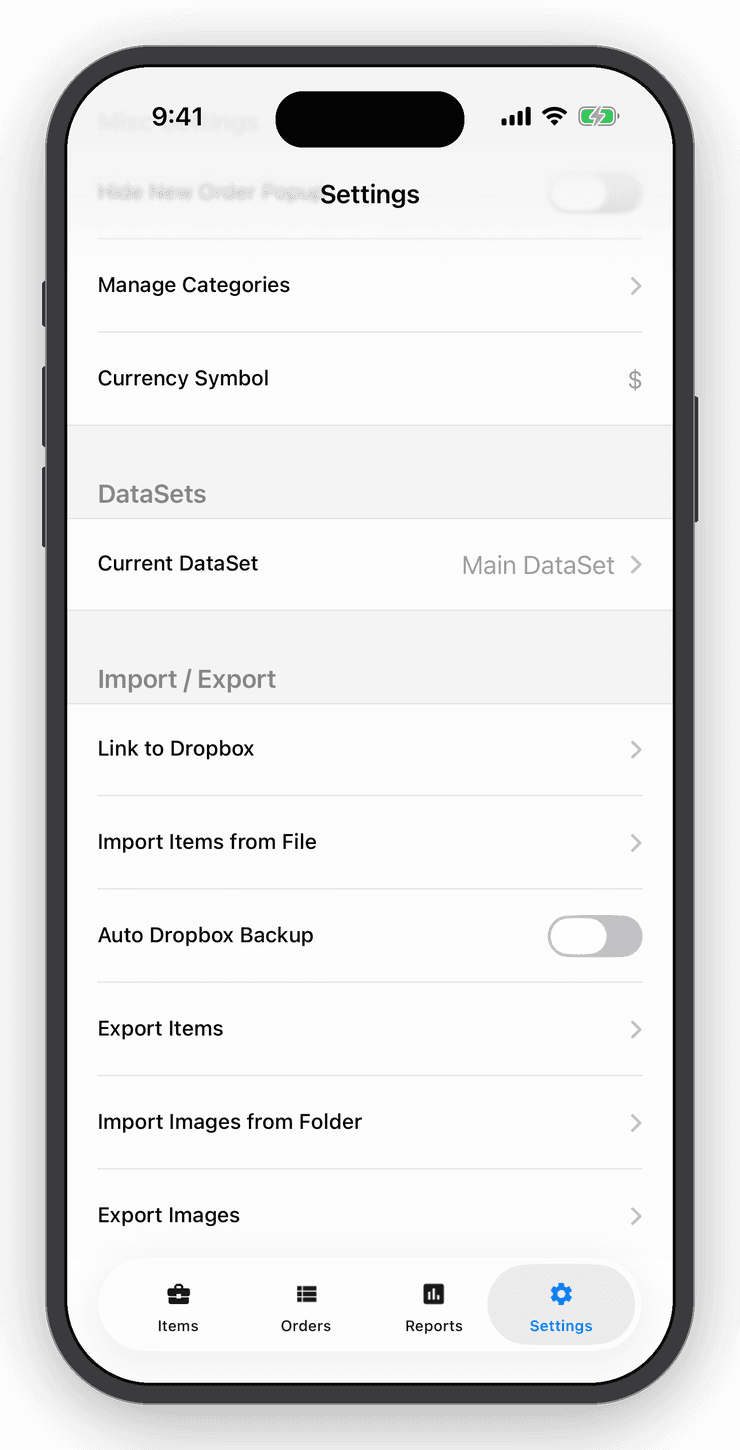
- Nº 1
Peace of mind
Your account already syncs to our servers; Dropbox adds a second copy you control.
- Nº 2
Edit in a spreadsheet
Export items to CSV, edit on a computer, drop the file in Dropbox/Apps/InventoryTracker and import it back.
- Nº 3
Share with your accountant
Order history and inventory summaries land in a folder you can share.
Import, export & backups
Your data is yours.
Import items from a simple CSV template. Export a clean PDF, your order history, an inventory summary, item images and barcode sheets, all with filters. Automatic Dropbox backups run without you thinking about it.
Team & sync
Every device, every person, one set of numbers.
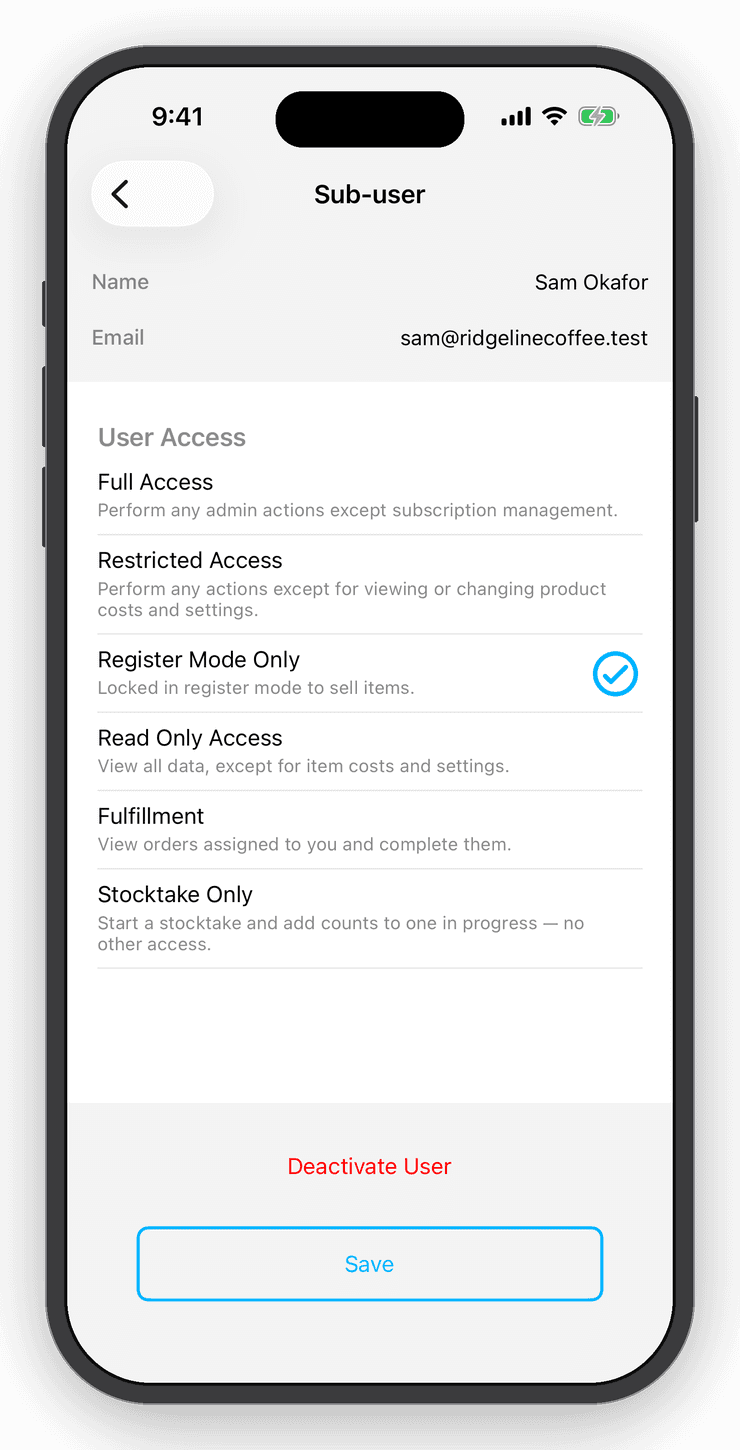
Your inventory syncs to every device the moment it changes. Add sub-users with exactly the access they need: view only, register only, or full access without seeing your costs.
Questions
Good to know
Save a CSV to Dropbox/Apps/InventoryTracker, then choose Import Items from Dropbox in Settings. You can also open a CSV from email with “Copy to Inventory Now”.
Keep exploring
Free for your first ten items.
No account, no card. When the shelf gets crowded, Personal is $10 a month.